Fire TV Cube (3rd gen) Review
Amazon's most powerful streaming box — and the one Fire TV finally got right.
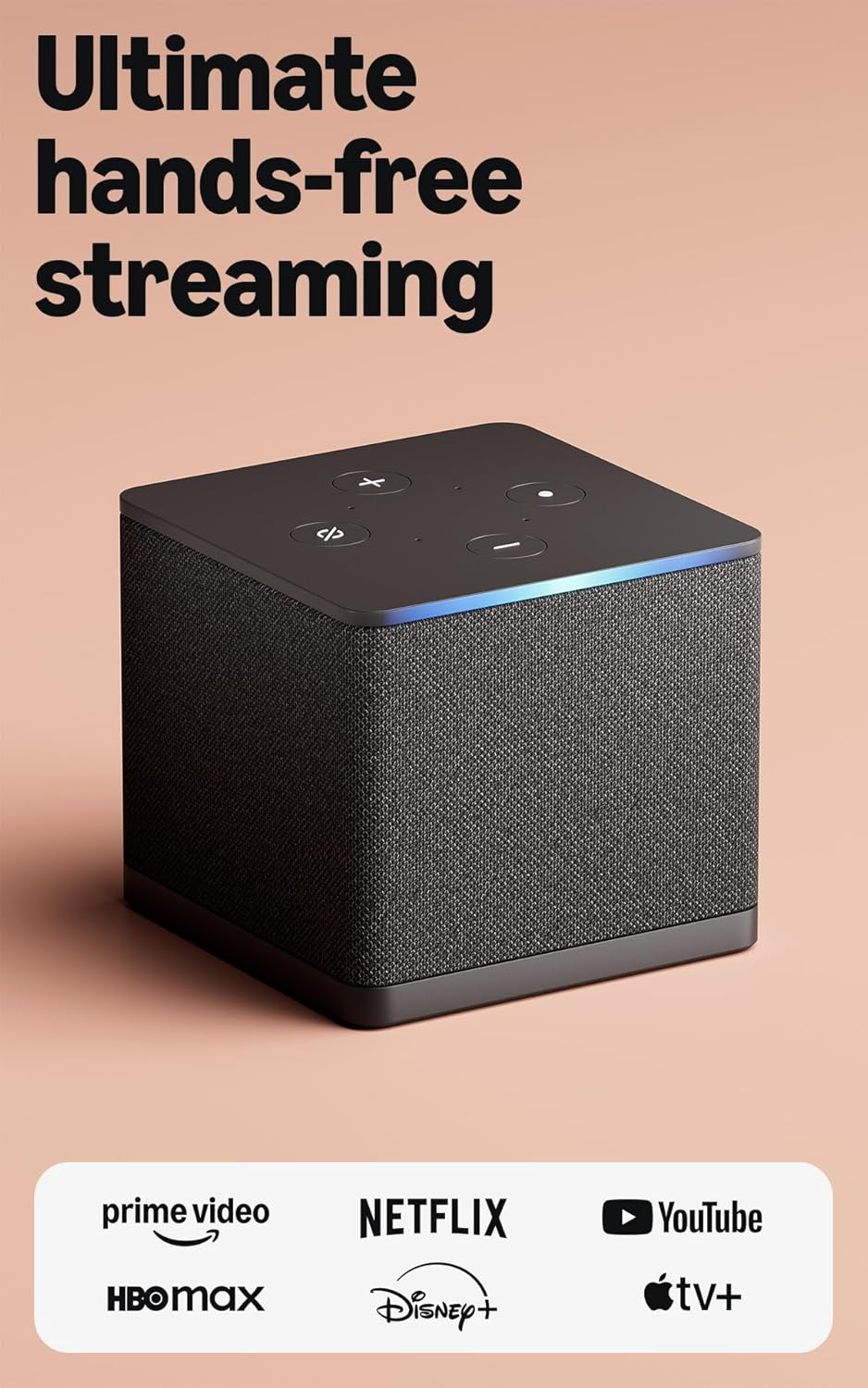




Our Take
From installing these in client homes since the day they shipped, the Fire TV Cube is the Fire TV product Amazon finally got right. It's the only streaming box on the market that combines hands-free Alexa, Wi-Fi 6E, built-in Ethernet, and an HDMI input port that lets it sit between your TV and your cable box — and that combination makes it genuinely useful in ways the cheaper Fire TV Stick never was.
The processor is roughly twice as fast as the Fire TV Stick 4K Max. App launches feel like the Apple TV instead of the budget streamer it was a generation ago. Hands-free Alexa means you can change channels, dim the lights, and pause a show without picking up the remote. The new Voice Remote Pro adds a lost-remote finder, backlit buttons, and customizable shortcuts — Roku-level remote thinking that earlier Fire TV remotes lacked.
The thing you pay for at $139 is the Amazon ecosystem. If you're a Prime member with Echo speakers throughout the house, the Cube slots into that world in ways no other streamer can. If you don't shop at Amazon, you're paying for an experience that constantly reminds you to.
When to buy it
You're deep in the Alexa ecosystem. Echo speakers in multiple rooms, Alexa routines for morning and bedtime, Ring doorbell on the porch. The Cube becomes another Alexa endpoint that handles your TV — and it's the only streamer that listens hands-free without you picking up a remote.
You want one box to control cable AND streaming. The HDMI input is genuinely unique. Plug your Xfinity X1 or Fios TV box into the Cube, and a single remote controls both. "Alexa, tune to ESPN on cable" switches inputs and channels in one command. No other streaming box does this.
You're an active Prime Video viewer. Thursday Night Football, Reacher, Jack Ryan, all the Prime Originals. The Cube puts these front-and-center on the home screen with the smoothest playback of any device that runs Prime Video.
You want hands-free voice from across the room. The Cube has built-in mics and a speaker. Say "Alexa, play SportsCenter" from the couch without reaching for the remote. Apple TV requires the remote. Roku requires you to press the voice button. Only the Cube and Google TV Streamer offer always-listening voice.
Wi-Fi 6E matters for your home. The Cube is the first streaming box with Wi-Fi 6E support — gives you access to the 6 GHz band that's mostly empty in 2026. In a packed apartment building with lots of interference, this is a real edge.
When to skip it
You don't shop at Amazon. The Cube's home screen is heavy on Prime Video promotion and Amazon Channels upsells. If that bothers you on principle, it'll bother you every time you turn on the TV. The Roku Ultra and Apple TV both have cleaner home screens.
Your house runs on iPhones. AirPlay doesn't work on Fire TV. No HomeKit. No iCloud Shared Photo Library on the TV. If your family is Apple-first, the Apple TV 4K is the better fit at the same price.
You're a privacy hawk. Amazon tracks your viewing across apps and uses it for ad targeting. Apple TV doesn't. Roku tracks but less aggressively.
You don't need the extras. If you're not going to use hands-free Alexa, the HDMI input, or the cable-box integration, you're paying $80 more than a Fire TV Stick 4K Max for features you'll never touch. The Stick does the same streaming job for less.
Key features (and what they actually mean for you)
Hands-free Alexa — talk to the TV from across the room
The Cube has built-in microphones AND a built-in speaker. You can say "Alexa, play Reacher" from the couch and the show starts. No remote required.
🎙️ Why this matters: other streaming boxes have voice search, but you have to press a button on the remote first. The Cube is always listening (like an Echo) and responds hands-free. If you've ever shouted across the living room with your hands full of laundry, you understand.
Wi-Fi 6E — the cleanest wireless on any streaming box
The Cube is the first streamer to support Wi-Fi 6E, which uses the 6 GHz radio band that's mostly empty in 2026.
📶 In plain English: older Wi-Fi (2.4 GHz, 5 GHz) is increasingly crowded — your neighbors, your phone, the microwave, the smart bulbs all share those bands. The 6 GHz band is the new lane nobody is using yet. You need a Wi-Fi 6E router AND a Wi-Fi 6E device to benefit. The Cube is one of very few streamers that supports it.
Built-in Ethernet — wired streaming, no adapter required
The Cube has a 10/100 Mbps Ethernet jack built into the back.
🔌 Why this matters: a $10 cable from the Cube to your router eliminates 80% of buffering complaints. Most streaming sticks need an extra $15 adapter to add Ethernet. The Cube has it built in — use it.
HDMI input — the trick no other streamer has
The Cube has an HDMI INPUT port (in addition to the output). You can plug your cable box, Blu-ray player, or game console into the Cube, and it becomes the one device controlling everything.
🎬 What this solves: instead of switching TV inputs to watch cable vs streaming, the Cube routes everything through itself. "Alexa, tune to ESPN on cable" changes the source automatically. "Alexa, switch to Netflix" swaps right back. One remote, one input on your TV. The closest thing to a real universal-remote experience under $200.
Super Resolution Upscaling — old content sharper on a 4K TV
The Cube uses its processor to upscale HD and lower-resolution content closer to 4K quality.
✨ What it actually does: if you watch a lot of older shows or family videos that aren't filmed in 4K, the Cube does extra processing to make them look sharper on your 4K screen. Not magic — won't make a 480p YouTube video look like a Blu-ray — but a real improvement on 1080p content.
Dolby Vision, HDR10+, Dolby Atmos
Every premium picture and audio format used by any major streaming service.
🔊 In plain English: HDR is the "premium picture" upgrade (Dolby Vision and HDR10+ are competing formats — the Cube supports both). Atmos is surround sound with overhead audio. The Cube handles all of them.
The Alexa Voice Remote Pro — finally a remote worth talking about
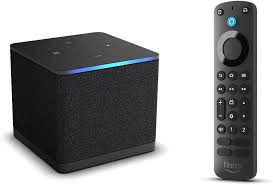
The Cube ships with the Alexa Voice Remote Pro, which is a real generational upgrade over earlier Fire TV remotes. It's the remote Fire TV should have shipped years ago.
What it does well:
- Remote Finder — say "Alexa, find my remote" (or use the Fire TV app on your phone) and the remote beeps. Roku-style functionality that Fire TV was missing.
- Motion-activated backlit buttons — pick up the remote in a dark room and the buttons light up automatically. Fades out when you set it down.
- 2 customizable shortcut buttons — assign any app, any Alexa command, any Alexa Routine. Genuinely flexible — you could program one button to dim the lights AND start a movie.
- Voice search via Alexa — works across every app you have installed.
What's still missing:
- No headphone jack — the Cube's box has a Bluetooth Headphone Mode (pair AirPods or any Bluetooth headphones), but the remote itself has no 3.5mm jack like Roku's does.
- Disposable AA batteries — the remote ships with AAs and isn't rechargeable. Lasts a long time (6+ months), but you're swapping batteries instead of plugging in USB-C.
| Remote feature | Alexa Voice Remote Pro | Roku Voice Remote Pro 2 | Apple Siri Remote |
|---|---|---|---|
| Hands-free voice (from across the room) | ✓ (via Cube's built-in mics) | ✓ "Hey Roku" | ✗ |
| Voice search across apps | ✓ Alexa | ✓ Roku | ✓ Siri (press to talk) |
| Headphone jack on remote | ✗ | ✓ | ✗ |
| Lost-remote finder | ✓ | ✓ | ✗ |
| Backlit buttons | ✓ | ✓ | ✗ |
| Customizable shortcut buttons | ✓ (2) | ✓ (2) | ✗ |
| Battery / charging | AA batteries (~6 mo) | Rechargeable USB-C | Built-in rechargeable, USB-C |
The Voice Remote Pro closes most of the gap between Fire TV and Roku. The Cube's hands-free Alexa adds a category of voice control none of the others offer. If voice is your primary way of controlling the TV, this is the box that takes it seriously.
Closed captions, parental controls, and accessibility
Solid across the board. The Cube specifically supports Audio Streaming for Hearing Aids (ASHA), which pairs Bluetooth hearing aids directly to the device — TV audio routes straight to the wearer. Only Amazon and Google ship streamers with this feature; Roku and Apple TV don't.
Closed captions are fully customizable (font, size, color, background) under Settings → Accessibility. Parental controls are PIN-locked at the OS level and apply across every installed app — block content ratings, lock specific apps, restrict in-app purchases.
VoiceView screen reader for low-vision users. Audio descriptions. Voice control as the primary input — no different from any other Alexa device.
What's missing
It can't hide behind a wall-mounted TV. This is the Cube's biggest install drawback in my experience. The box is roughly 3" × 3" × 3" — a real cube — and most wall-mounted TVs only have an inch or so of clearance behind them. A Roku Ultra, Apple TV, or even the Shield will slide into that gap and disappear. The Cube won't. You're either putting it in a cabinet (and losing the hands-free Alexa mic that's the whole point of buying this over a Stick), or leaving it visible on a shelf. If your main TV is wall-mounted, this alone is enough reason to spec a Roku Ultra instead.
The home screen is busy with Amazon promotions. Big banner for Prime Video shows, sponsored content tiles, Amazon Channels add-on suggestions. You can turn most of it off, but it's there by default and it'll be there every time you start the TV. Apple TV is the cleanest home screen; Roku is in the middle.
No AirPlay or HomeKit. Fire TV is locked out of Apple's ecosystem. If anyone in your house uses iPhones and wants to send photos or videos to the TV, the Cube can't do it. The Apple TV or even Roku (which does AirPlay) is the better pick for mixed households.
No native YouTube TV recommendation engine. YouTube TV runs on the Cube but Amazon's home screen doesn't surface YouTube TV content the way it surfaces Prime Video. You'll find yourself opening YouTube TV manually instead of seeing it suggested.
Amazon's smart home story is good but Matter support is limited. The Cube works with Alexa-compatible devices natively, but Google TV Streamer is a more complete Matter and Thread hub. If you're building out a Matter-based smart home, the Cube is a partial answer.
Limited customization on the home screen. You can hide some content rows but not all of them. Roku and Apple TV both give you more control over what shows on the start screen.
More photos
Ready to buy?
Price is the same at every retailer — pick whoever you already shop with. Free shipping at most.
Setup tips from a pro installer 8 tips · click to expand
- Plug in Ethernet if you can Wi-Fi 6E is impressive, but a $10 cable still eliminates the most common streaming complaints. The Cube has a built-in Ethernet port — use it.
- Turn off 'Featured Content' on the home screen Settings → Preferences → Featured Content → 'Allow Video Autoplay' OFF and 'Allow Audio Autoplay' OFF. Stops the home page from auto-playing trailers every time you turn on the TV. Critical setting.
- Set audio output to 'Best Available' or 'Auto' Settings → Display & Sounds → Audio → Surround Sound → 'Best Available.' Default is sometimes set to Stereo, which wastes a Dolby Atmos soundbar.
- Use the HDMI input to control your cable box Plug your cable box into the Cube's HDMI input. Now 'Alexa, tune to ESPN' switches inputs and channels for you, with one remote. This is the Cube's killer feature — most people don't set it up.
- Customize the two shortcut buttons on the remote Hold either of the two customizable buttons on the Voice Remote Pro for ~5 seconds. Assign whatever app you actually use.
- Disable 'Hey Alexa' if you have Echo speakers nearby Settings → Alexa → 'Wake Word.' If you have an Echo in the same room, both will hear you and respond. Pick which one handles voice.
- Enable Audio Streaming for Hearing Aids (ASHA) Settings → Accessibility → Audio Streaming. Pairs Bluetooth hearing aids directly to the Cube — TV audio goes straight to the wearer with no remote action needed.
- Limit ad tracking Settings → Preferences → Privacy Settings → 'Interest-based Ads' OFF. Won't remove all ads, but reduces personalized targeting.