Fios TV One Review
Verizon's traditional cable box — real strengths, real maintenance issues, and how to decide if it still fits your house.
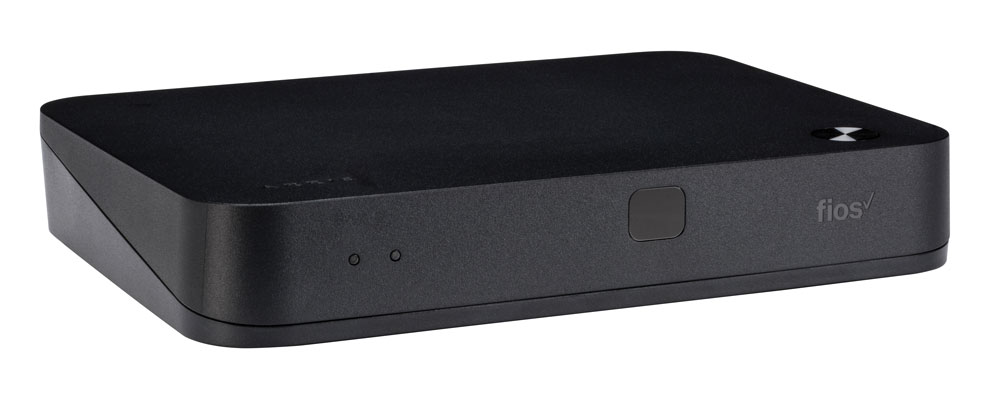

Our Take
After installing and servicing thousands of these systems, I've landed somewhere in the middle on Fios TV One. The RF voice remote is solid. The channel lineup is complete. Picture quality on coax is sharp and consistent. None of that is hype.
The drawbacks are real too. The cable boxes create a MoCA network in your house, and that network is more fragile than it should be — a reset every couple months isn't unusual, and a full reinitialization every six to eight months is common. If the main DVR box fails, the recordings on it can disappear. I've seen clients lose hundreds of hours of content, and Fios doesn't recover those.
That doesn't make Fios TV One the wrong call for every household. Plenty of homes I service run it just fine — solid coax, healthy boxes, happy family. Whether you should keep it depends on your specific situation: how many TVs, how stable the install has been, whether you watch local sports channels (YES, MSG, NBC Sports, etc.), and whether you mind juggling cable and streaming on two separate inputs.
The biggest daily frustration — two remotes, two inputs
The single thing that wears clients down on Fios TV One faster than anything else isn't the MoCA resets or the channel guide. It's the input switching.
The Fios TV One box only handles live TV and a tiny set of built-in apps. Every other streaming service — Netflix, Disney+, Max, Prime Video, Hulu, Apple TV+, Paramount+, you name it — runs on your TV's smart platform or a separate streaming box on a different HDMI input. So watching cable, then jumping to a Disney+ movie, then back to ESPN means:
- Pick up the Fios remote, watch the cable channel.
- Put it down. Pick up the TV remote.
- Press the Source / Input button. Cycle through HDMI inputs until you find Disney+.
- Switch back later? Pick up the Fios remote again. Pick up the TV remote. Press Source again.
Two remotes. Constant input-hopping. Spouses and kids hate it. This is the single biggest reason households start asking about alternatives. Platforms like Xfinity X1 and Verizon's own Fios Stream / TV+ solve this by keeping live TV AND all the major streaming apps on the same box and the same HDMI input — one remote, no source button. Fios TV One doesn't.
It's worth being honest about this before you commit to staying on the platform: the input-switching tax is real, and it's daily.
When to keep Fios TV One
You watch local sports channels (YES, MSG, NBC Sports, etc.) that aren't on YouTube TV. Local sports networks are the single most common reason to stay. YouTube TV carries almost none. DirecTV Stream costs $25–$40/month more for the same coverage. If your team plays on a local sports channel that Fios has, this is still the cleanest path.
Your install has been stable for a year or more. If the coax is good, the MoCA network is healthy, and you haven't had service calls — leave it alone. The risks I describe don't hit every installation equally.
You record a lot of shows and use Multi-Room DVR. 200 hours of HD storage on the main box, shared across every TV, with ad-skipping that works. Genuinely useful. Just back up anything you can't afford to lose.
You have older family members who refuse to learn a new interface. A parent who's pressed the same channel-up button for twenty years isn't going to be happy with YouTube TV. Don't underestimate the family-fight cost of switching.
You want a remote that hides the box. The RF Voice Remote talks to the box over radio, not infrared — so the box can live in a cabinet, on a shelf across the room, or behind a closed door. The remote still works.
You're a sports household that won't risk a Wi-Fi-dependent stream. Streaming services have had Super Bowl, NFL Sunday Ticket, and March Madness outages. Cable hasn't. If the household won't tolerate buffering during a big game, coax delivery is the safer call.
When to consider getting out
You're tired of the two-remote, two-input setup. This is the most common reason long-time clients switch. When you find yourself reaching for both remotes every night, it's time to look at platforms that keep cable and streaming under one roof.
You have four or more TVs with ongoing MoCA issues. More boxes mean more nodes on the MoCA network and more failure points. If you've already had a tech reset things twice in a year, the platform isn't getting more stable — it's getting less stable as boxes age.
Your house isn't wired with coax to every TV location. Running new coax through finished walls costs $100–$200 per location. At that point you're paying for infrastructure the rest of the industry is moving away from.
You're in a new build or doing a renovation. Easiest call. Don't install Fios TV One in a new home in 2026. Comcast pushed everyone to Xumo, Spectrum is doing the same, Verizon is quietly steering new customers to Fios Stream / TV+. Skip the cable boxes entirely.
Key features (and what they actually mean for you)
The two boxes — Main and Mini
There are TWO different boxes in the Fios TV One family, and the salesperson rarely explains which is which.
Fios TV One Main box (the larger Arris VMS 4100 server) — the larger box, contains the hard drive that holds your DVR recordings. This is the "server" of the system. You need at least one in the house for Multi-Room DVR to work. Usually installed on the main living-room TV.
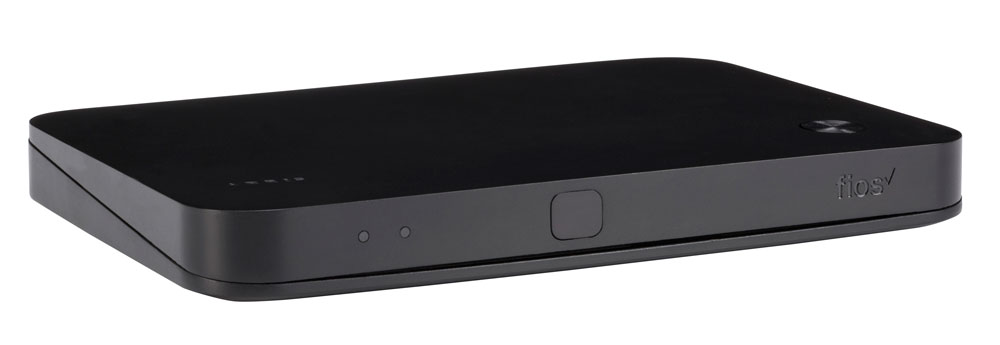
Fios TV One Mini box (shown above) — the smaller, slimmer client box. No hard drive, no DVR storage. Streams recordings and live TV from the Main box over the MoCA network. Goes on secondary TVs.
🧠 Why this matters: the Main box is what fails when you lose recordings — it's where they're stored. If you have one Main and it goes down, every TV in the house loses TV until it's replaced. Most households run one Main plus several Minis. Know which box is on each TV before making any decisions about the install.
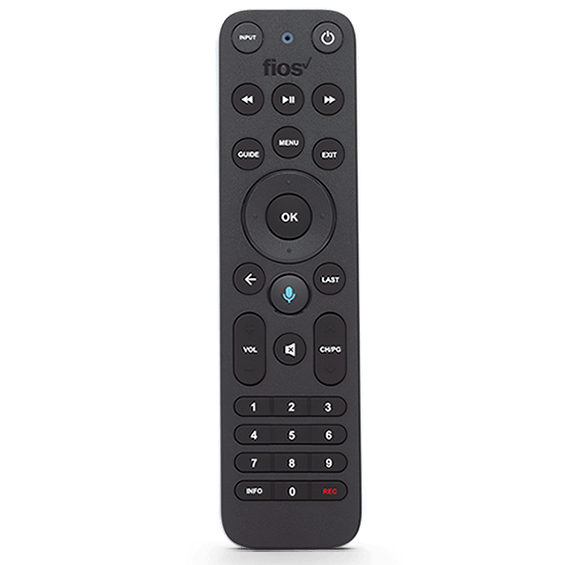
The RF Voice Remote — solid and functional
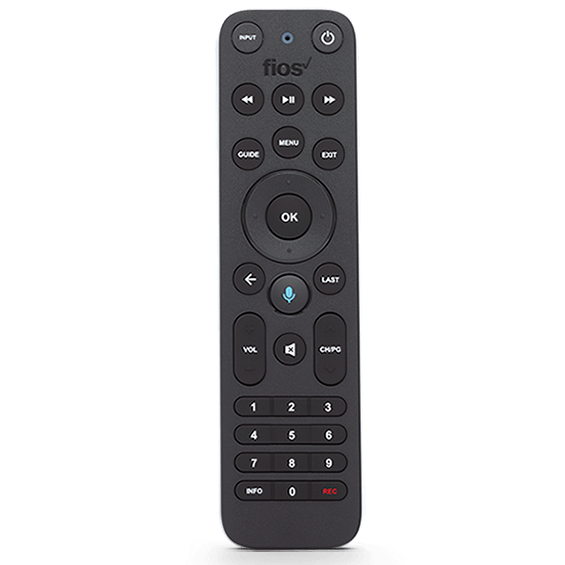
The voice remote uses RF (radio frequency) instead of infrared, which is a real install advantage.
📡 Why RF beats IR for cable boxes: no line-of-sight required. The box can live in a cabinet, behind a closed door, or on a shelf across the room — the remote still works. With a traditional IR cable box, you had to leave it visible. This is the easiest-to-hide cable box from an install standpoint.
Voice search works — say "Fast and Furious" and it surfaces showings across channels and the on-demand library. Built-in IR control of TV power, volume, and input is auto-programmed during setup, so one remote runs the cable box, the TV, and usually the soundbar.
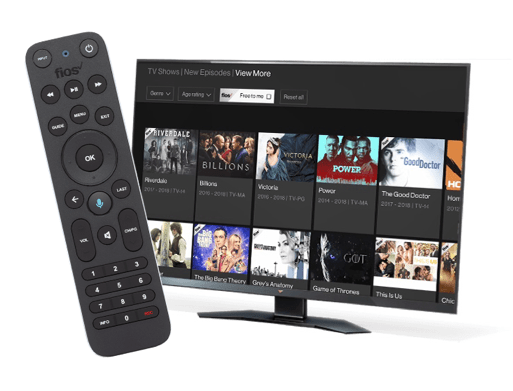
That said, this is a cable remote — and that comes with the trade. A lot of buttons. Number pad, dedicated DVR controls, INPUT, GUIDE, MENU, EXIT, OK, navigation ring, voice, channel rocker, volume rocker, and more. For households that grew up with cable, this is familiar and welcome. For anyone coming from a streaming-first house, the simpler 8–10 button Roku, Apple TV, or Google TV remotes feel cleaner once you adjust. Neither is wrong — they're built for different jobs. Just don't expect the Fios remote to feel as minimal or as modern as what you get on a streaming box.
Full channel lineup including local sports channels
Up to 425+ channels depending on tier. Every major broadcast network, every major cable channel, premium movie channels available as add-ons, and — crucially — your local sports channels (YES, MSG, NBC Sports, etc.).
🏈 Why this matters: local sports channel coverage is the single biggest reason clients stay on traditional Fios. YouTube TV carries almost none. DirecTV Stream carries most at a premium. If your team plays on the local sports channel, Fios is still the path of least resistance.
Multi-Room DVR with 200 hours of HD storage
Recordings live on the Main box and play back on every TV. Pause in the living room, resume in the bedroom. Schedule from the Fios app.
⚠️ The honest caveat: recordings live on a physical hard drive in the Main box. When the hardware fails over its 5–7 year life, the recordings on it are gone. Fios replaces the box. Fios will not recover the recordings. Back up irreplaceable content somewhere else.
Built-in streaming apps — limited, and that's the catch
The Fios TV One box has a small built-in apps directory. The reality is narrower than the marketing suggests.
What's actually built in:
- ✓ Netflix — accessed by tuning to channel 838 or via voice command
- ✓ YouTube — accessed by tuning to channel 837
- ✓ Pluto TV — accessed by tuning to channel 839
What's NOT built in:
- ✗ Disney+
- ✗ Max (HBO)
- ✗ Hulu
- ✗ Prime Video
- ✗ Apple TV+
- ✗ Paramount+
- ✗ Peacock
- ✗ ESPN+
- ✗ Most premium streaming services people actually pay for
🎮 What this means in practice: the streaming-app story on Fios TV One is genuinely limited. For Netflix or YouTube users it's convenient — channel up to 838, you're in Netflix on the same remote. For everyone else, you're still switching to your TV's smart platform or a separate streaming box on a different HDMI input for the apps you actually use. Verizon will tell you the box has "streaming apps built in." That's technically true, and practically not enough.
This is the root cause of the two-remote, two-input problem. Until the box supports the same set of apps as a Roku or Apple TV, most households end up using their TV's smart platform for everything except live cable — which means living with the input switch every night.
The remote — solid, but built for cable
| Remote feature | Fios RF Voice Remote | Roku Voice Remote Pro 2 | Apple Siri Remote |
|---|---|---|---|
| RF / Bluetooth — hide the box | ✓ RF | ✓ Bluetooth | ✓ Bluetooth |
| Voice search across channels and apps | ✓ Good accuracy | ✓ "Hey Roku" hands-free | ✓ Siri (press to talk) |
| Controls TV power, volume, input | ✓ IR + CEC | ✓ Most TVs | ✓ Built-in IR + CEC |
| Headphone jack on remote | ✗ | ✓ | ✗ |
| Lost-remote finder | ✗ | ✓ | ✗ |
| Backlit buttons | ✗ | ✓ | ✗ |
| Button count | ~30+ (full cable remote) | ~12 | ~7 |
| Battery / charging | AA batteries (~6 mo) | Rechargeable USB-C | Built-in rechargeable, USB-C |
The Fios remote is functional and well-made for what it is — a full-featured cable remote. The RF design is genuinely a strength for hiding the box. Voice works well. Universal TV control is reliable.
What it isn't is minimal. The button count is significantly higher than any modern streaming remote, and the layout reflects a 1990s cable-box mindset rather than a 2020s streaming-first one. Some households love that — every function has its own dedicated button, no menu-diving. Other households find it overwhelming after using a Roku or Apple TV remote and prefer the simpler experience once they adjust. Both reactions are reasonable. Just go in knowing it's a cable remote.
Closed captions, parental controls, and accessibility
Solid. Closed captions are fully customizable under Settings → Accessibility — font, size, color, background, opacity, position. The platform has been ADA-compliant for years.
Parental controls are PIN-locked at the box level. Block specific channels, restrict ratings, lock down pay-per-view, set viewing time limits. Setup takes ten minutes once and applies to every Main and Mini box. Better than most streaming services.
Audio descriptions and screen-reader support are available for low-vision users. Voice control via the remote helps with motor limitations.
Box rental costs (you cannot buy them)
Fios TV One boxes are rental-only. There is no purchase option. The boxes stay Verizon's property and you return them when you cancel service. The good news: the first box is typically included free with your TV package. The cost only kicks in for additional boxes beyond the first.
| Per box | Per year | 5-year cost | |
|---|---|---|---|
| First box (Main or Mini) | Included free with TV package | $0 | $0 |
| Each additional box | $12/month rental | $144 | $720 |
| Typical 2-TV setup (1 free + 1 additional) | $12/month rental | $144 | $720 |
| Typical 4-TV setup (1 free + 3 additional) | $36/month rental | $432 | $2,160 |
💡 The math that actually matters: rental fees only stack up if you're a multi-TV household. A single-TV setup costs $0/month in box rentals. A 2-TV setup costs $720 over five years for the second box. A 4-TV setup hits $2,160 over five years — at which point the streaming alternatives (Roku Sticks at $40 each, Fios Stream Minis at $5/month) become meaningfully cheaper.
The three real options compared
Numbers below are for a typical two-TV setup on Gigabit Internet:
| Item | Keep Fios TV One | Switch to Fios Stream / TV+ | Cut TV — keep Internet only |
|---|---|---|---|
| Internet | $89.99/mo | $89.99/mo | $89.99/mo |
| TV service | $109.99/mo | $89.99/mo | — |
| Box rental (2 TVs) | $12/mo (1st free, 1 add'l) | $10/mo | — |
| Fees & taxes | ~$18/mo | ~$10/mo | ~$3/mo |
| Replacement service | — | — | $82.99/mo (YouTube TV) |
| Monthly total | ~$130/mo | ~$110/mo | ~$176/mo |
| Channel count | 245+ | 125+ | 100+ (YouTube TV) |
| Local sports channels | Full | Often missing | Usually missing |
| DVR | 200 hr local (can be lost) | Limited cloud | Unlimited cloud |
| Reliability | Coax-reliable, MoCA-fragile | Wi-Fi dependent | Wi-Fi + service dependent |
| Remote / inputs | Two remotes, two inputs | One remote, one input | One remote, one input |
| Service calls | A few per year typical | Rare | Rare |
Read that carefully — cutting the cord isn't automatically cheaper if you have multiple TVs. With one TV the math swings hard toward cord-cutting. With two it's closer than people think. With four it depends entirely on which streaming services you'd be using anyway.
What's missing
Recovery for lost recordings. When a Main box fails, the recordings on it are gone. Verizon replaces the hardware. They don't recover the data.
A modern app experience. Built-in apps are limited to Netflix, YouTube, and Pluto TV. Most popular streaming services aren't on the box, which means households still end up using their TV's smart platform for everything else — and dealing with the input switch.
A modern mobile app. The Fios mobile app works but feels dated next to YouTube TV or Hulu Live. Out-of-home viewing is limited.
Picture quality on par with native streaming. Fios picture is good. It's not noticeably better than a properly-configured Roku Ultra or Apple TV running 4K Dolby Vision. The "better picture on cable" argument doesn't hold the way it did ten years ago.
Long-term platform commitment. Verizon, Comcast, and Spectrum are all moving away from traditional cable boxes. Fios TV One isn't being abandoned overnight, but no major investment is going into it either.
Who this is best for
Best for households that already have a stable install and watch local sports channels. If the system works and your teams play on local sports channels YouTube TV doesn't carry, the math and the experience still favor keeping this platform.
Best for households that value the RF remote and the hide-the-box install. A real strength most people overlook.
Best for older households where learning curves matter more than monthly savings. Don't disrupt what works.
For everyone else — new installs, multi-TV homes with ongoing MoCA issues, households tired of the two-remote two-input dance, or anyone where streaming services would replace the channel lineup cleanly — Fios Stream / TV+ or Internet-only is worth real consideration.
Prices vary by market. The best way to see exactly what you'd pay across all three options is to run the quiz with your ZIP code — we'll show you real numbers for your address.
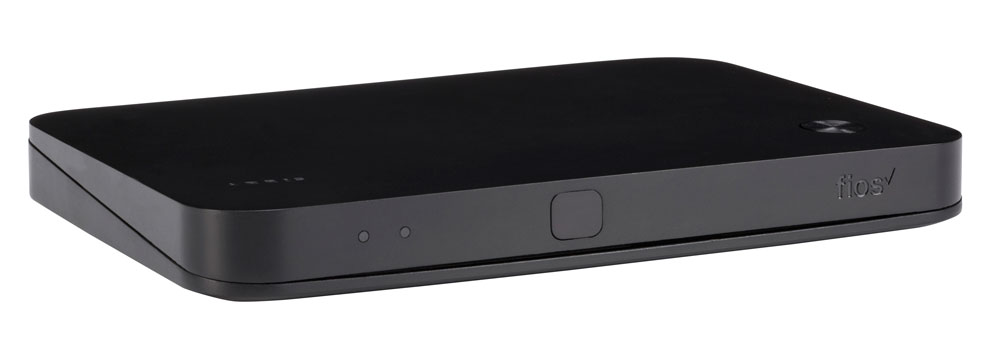
More photos
Where to rent
Boxes are rental-only — you cannot purchase them. Rate is per box, per month, billed by Verizon as part of your service.
Setup tips from a pro installer 8 tips · click to expand
- Stick with the included Voice Remote The Fios TV One Voice Remote controls power and volume on most TVs via IR out of the box. Don't bother with a universal — Verizon's remote handles 95% of households fine.
- Set up DVR recordings on the day of install The Multi-Room DVR stores 200 hours of HD content and shares recordings across every Fios TV One box in the house. Set up your priorities first so the box starts catching shows immediately.
- Plug the box into Ethernet if you can Fios TV One supports both coax/MoCA and Ethernet for the box's internet features (on-demand, app integrations). Ethernet is faster — useful for the streaming-app menu the newer boxes added.
- Configure quick-tune favorites Settings → My TV → Favorites. Building a 10–15 channel favorites list and pressing the Favorites button cycles through them — way faster than scrolling 245 channels every time.
- Enable the Streaming Apps menu Recent firmware adds Netflix, Disney+, Max, Hulu, and YouTube directly inside the Fios TV One interface. Activate them from the app launcher. Now your cable box also runs your streaming apps — fewer remote swaps.
- Adjust audio output to match your soundbar Settings → Audio. Default is Stereo. If you have a Dolby Atmos or DTS soundbar/AVR, set to Dolby Digital Plus or pass-through so the box doesn't downmix premium audio.
- Disable auto-tune to the home screen on power-on Settings → Preferences. By default the box returns to the cable home page when you turn the TV on, which buries your last channel. Setting power-on behavior to 'Last Channel' is the way most clients want it.
- Know how to call retention Verizon's pricing is negotiable. If your monthly bill creeps past $150–$160 for TV + Internet, call retention and ask about a new promo. Veteran clients save $30–$50/month by calling once a year.