Cox Contour Review (traditional cable box)
Cox's flagship cable platform — solid hardware, decent app integration, and the rental cost that comes with it.

Our Take
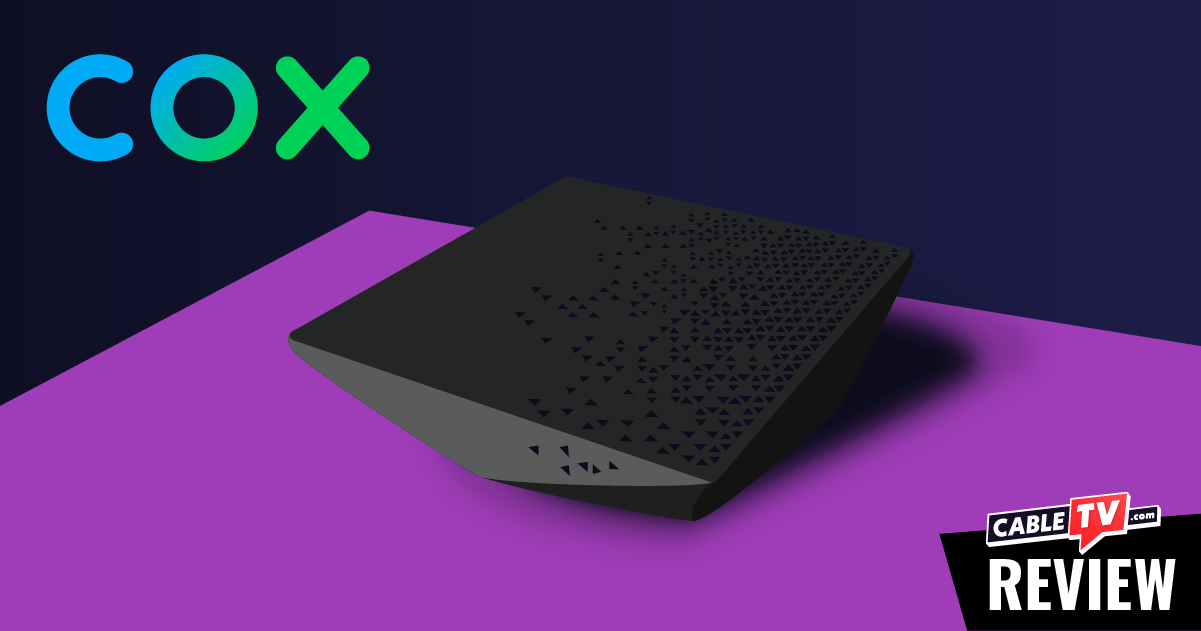
Walking into a client's living room in a Cox market, the box you'll most often find behind the TV is the Cox Contour 2. After years of putting these in homes alongside Comcast and Spectrum installs, my honest take: Cox Contour is the middle-of-the-pack traditional cable platform — better than Spectrum on app integration and guide speed, worse than Comcast X1 on the same fronts, and quieter than both about pushing ads at you through the interface.
The basics work. Picture is clean on coax. The voice remote does what it should. Cloud DVR (Contour Record) is reliable. Built-in streaming apps include Netflix, Prime Video, and YouTube — fewer than Comcast's, but the most important ones. The platform doesn't push promotional tiles at you the way X1 does. There's a calm-cable quality to it that some households genuinely prefer.
The drawbacks are real too. Cox charges per-box rental on every TV, no first-box-free policy on most plans. The voice remote pairs less consistently than Verizon's, and AA battery drain runs faster than expected. Built-in app integration is solid but doesn't cover Disney+, Max, Hulu, or Apple TV+ — most premium streaming services people pay for. And like every traditional cable platform, Cox is steering new customers toward its streaming replacement (Cox Contour Stream Player), so long-term investment in the traditional box is winding down.
Whether you should keep Contour depends on the specifics: how many TVs, whether you watch local sports channels (YES, MSG, NBC Sports, Bally Sports varies by market), and whether you'd be just as happy on Contour Stream for less money.
The biggest daily frustration — the voice remote re-pairing dance
The thing that wears Cox households down faster than anything else isn't the box rental or the channel count. It's the voice remote.
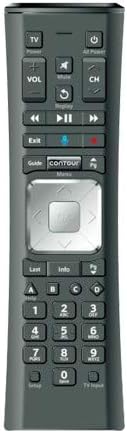
The Cox Contour Voice Remote works fine — when it's paired. After a power outage, a battery swap, or sometimes for no obvious reason at all, it'll silently stop talking to the box. You press buttons, nothing happens, and the household assumes something's broken. The fix is simple — Cox button + OK held for three seconds, follow the on-screen prompts — but only if you know it.
I've gotten more calls about Cox remotes than any other cable provider's. Not because the remote is bad, but because pairing flakes more often than it should and Cox doesn't proactively educate customers on the re-pair sequence. Households end up calling support, waiting on hold, and getting walked through a 60-second fix that should be on a sticker on the box.
If you're keeping Cox Contour, the single highest-leverage thing you can do is memorize the re-pair sequence (Cox button + OK, three seconds) and stick a Post-It on the bottom of the remote with it written down.
When to keep Cox Contour
You watch local sports channels (YES, MSG, NBC Sports, Bally Sports varies by market) that streaming services don't carry. Local sports networks are the single most common reason to stay. YouTube TV carries almost none. DirecTV Stream costs more for similar coverage. If your team plays on a local sports channel Cox carries, this is still the cleanest path.
Your install has been stable for a year or more. Cox's coax delivery is reliable when the install is good. If the box hasn't needed a tech reset and recordings haven't disappeared — leave it alone.
You record a lot of shows and use Contour Record cloud DVR. Cloud DVR holds 60–150 hours depending on plan, plays back across every TV via the Cox app, and works reliably for sports and weekly series.
You actually use the built-in apps (Netflix, Prime Video, YouTube). This is Cox's real advantage over Spectrum. Three of the most-used streaming services live on the same box as live cable. If your household uses these regularly, the one-remote experience matters.
You have older family members who refuse to learn a new interface. A parent who's pressed the same channel-up button for twenty years isn't going to be happy with YouTube TV. Don't underestimate the family-fight cost of switching.
You're a sports household that won't risk a Wi-Fi-dependent stream. Streaming services have had Super Bowl, NFL Sunday Ticket, and March Madness outages. Coax hasn't. If the household won't tolerate buffering during a big game, cable is still the safer call.
When to consider getting out
You're tired of the remote re-pairing dance. Most common reason long-time Cox clients eventually look at alternatives. The Contour Stream Player uses a different remote that pairs more reliably.
You have four or more TVs paying $12/month each. Cox charges per-box on every TV. A four-TV household pays ~$48/month in box rentals alone — $576/year. At that point Roku Sticks ($40 each, one-time) plus YouTube TV becomes hard to ignore.
Your house isn't wired with coax to every TV location. Running new coax through finished walls costs $100–$200 per location. At that point you're paying for infrastructure the rest of the industry is moving away from.
You're in a new build or doing a renovation. Don't install traditional Contour in a new home in 2026. Cox itself is steering new customers toward Contour Stream Player. The traditional platform is on maintenance, not real investment.
Key features (and what they actually mean for you)
The boxes — Contour 1 vs Contour 2
Cox has two active receivers in the field.
Contour 2 — current flagship. Faster interface than the original, better voice remote support, 4K HDR output on newer units. This is what new installs get.
Contour 1 (legacy) — older units still in service in long-time accounts. Slower, more limited app support, no 4K. Eligible for a free swap to Contour 2.
🧠 Why this matters: if you're on a Contour 1, request the Contour 2 swap. It's a free upgrade and the daily experience is noticeably better.
The Cox Voice Remote — solid hardware, finicky pairing
The Cox Voice Remote uses RF for the cable box and IR for TV control. Voice search works well — it searches the channel guide, on-demand library, and built-in streaming apps simultaneously.
📡 Why RF beats IR for cable boxes: no line-of-sight required. The Contour box can live in a cabinet, behind a closed door, or on a shelf — the remote still works.
What it isn't is reliable in the pairing department. The remote loses pairing more often than Verizon's Fios remote or any streaming-box remote. The fix is fast once you know it (Cox button + OK, three seconds) but nobody tells customers this up front.
Channel lineup including local sports channels
Cox TV tiers range from ~140 channels (Contour TV Starter) to ~220+ (Contour TV Preferred), plus regional sports add-ons. Every major broadcast network, every major cable channel, premium movie channels available, and your local sports channels (YES, MSG, NBC Sports, Bally Sports, etc.) depending on market.
🏈 Why this matters: local sports channel coverage is the single biggest reason clients stay on Cox TV. YouTube TV carries almost none. DirecTV Stream carries most at a premium. If your team plays on the local sports channel Cox carries, this is still the path of least resistance.
Cloud DVR (Contour Record) — works well, retention limits apply
Cox's cloud DVR holds 60–150 hours depending on plan. Multi-room playback through the Cox app. Series-record priorities work the way you'd expect.
⚠️ The honest caveat: Cox cloud DVR has 12-month retention on most plans, and Cox reserves the right to remove specific content for licensing reasons. Don't treat cloud DVR as permanent archive — back up irreplaceable content somewhere else.
Built-in streaming apps — better than Spectrum, behind Comcast
Cox Contour 2 includes the most-used streaming services as native apps.
What's actually built in:
- ✓ Netflix — full native app
- ✓ Prime Video — full native app
- ✓ YouTube — full native app
- ✓ Pandora and a few music services
What's NOT built in:
- ✗ Disney+
- ✗ Max (HBO)
- ✗ Hulu
- ✗ Apple TV+
- ✗ Paramount+
- ✗ Peacock
- ✗ ESPN+
- ✗ Most premium streaming services people actually pay for
🎮 What this means in practice: Cox's three built-in apps cover the biggest streamers but leave a real gap. Households paying for Disney+, Max, or Hulu still end up using their TV's smart platform for those — bringing back the two-remote, two-input dance. Less integrated than Comcast X1, more integrated than Spectrum or Fios.
The remote — solid for cable, finicky in the field
| Remote feature | Cox Voice Remote | Roku Voice Remote Pro 2 | Apple Siri Remote |
|---|---|---|---|
| RF / Bluetooth — hide the box | ✓ RF | ✓ Bluetooth | ✓ Bluetooth |
| Voice search across channels and apps | ✓ Cable + built-in apps | ✓ "Hey Roku" hands-free | ✓ Siri (press to talk) |
| Controls TV power, volume, input | ✓ IR | ✓ Most TVs | ✓ Built-in IR + CEC |
| Headphone jack on remote | ✗ | ✓ | ✗ |
| Lost-remote finder | ✗ | ✓ | ✗ |
| Backlit buttons | ✗ | ✓ | ✗ |
| Button count | ~30 (full cable remote) | ~12 | ~7 |
| Battery / charging | 2× AA (~3–5 mo) | Rechargeable USB-C | Built-in rechargeable, USB-C |
| Pairing reliability | Flakes more than it should | Excellent | Excellent |
The Cox Voice Remote works well when it's paired. Voice search across cable channels AND the built-in streaming apps is genuinely useful — say "Stranger Things" and it surfaces the Netflix episodes alongside any cable airings. RF is a real strength for hiding the box.
What it isn't is set-and-forget. The pairing flakes more than any installer wants to admit. Plan on knowing the re-pair sequence and keeping fresh AAs handy.
Closed captions, parental controls, and accessibility
Solid. Closed captions are customizable under Settings → Accessibility — font, size, color, background, opacity, position. ADA-compliant.
Parental controls are PIN-locked at the box level. Block channels, restrict ratings, lock pay-per-view, set time limits. Setup is about ten minutes and applies to every Contour box.
Audio descriptions and screen-reader support available for low-vision users. Voice control helps with motor limitations.
Box rental costs (you cannot buy them)
Cox Contour boxes are rental-only. There is no purchase option. The boxes stay Cox's property and you return them when you cancel service. Cox typically does not include a free first box on current TV plans — every TV with a Contour box pays the rental fee.
| Per box | Per year | 5-year cost | |
|---|---|---|---|
| Each Contour receiver | ~$11.99–$12.99/month | $144–$156 | $720–$780 |
| Typical 2-TV setup | ~$24/month | $288 | $1,440 |
| Typical 4-TV setup | ~$48/month | $576 | $2,880 |
| Contour Record DVR upgrade | Often included on mid-tier plans | $0–$120 | $0–$600 |
💡 The math that actually matters: like Spectrum, Cox charges per-box on every TV — no first-box-free. A four-TV household pays ~$2,880 over five years on Contour box rentals alone. At that point, the math swings hard toward Contour Stream Player ($5/mo per device, sometimes free with bundle), Roku Sticks, or YouTube TV.
The three real options compared
Numbers below are for a typical two-TV setup on Gigabit Internet in a major Cox market:
| Item | Keep Cox Contour | Switch to Cox Contour Stream | Cut TV — keep Internet only |
|---|---|---|---|
| Internet | $79.99/mo | $79.99/mo | $79.99/mo |
| TV service (Contour TV Preferred) | $79.99/mo | $69.99/mo | — |
| Box rental (2 TVs) | $24/mo (no free box) | $10/mo or included | — |
| Fees & taxes | ~$18/mo | ~$10/mo | ~$3/mo |
| Replacement service | — | — | $82.99/mo (YouTube TV) |
| Monthly total | ~$202/mo | ~$170/mo | ~$166/mo |
| Channel count | 220+ | 140+ | 100+ (YouTube TV) |
| Local sports channels | Full | Mostly | Usually missing |
| DVR | 60–150 hr cloud | Smaller cloud | Unlimited cloud |
| Reliability | Coax-reliable | Wi-Fi dependent | Wi-Fi + service dependent |
| Remote / inputs | One remote, one input | One remote, one input | One remote, one input |
| Service calls | A few per year typical | Rare | Rare |
Read carefully — Contour Stream Player is meaningfully cheaper for multi-TV households AND fixes the pairing-flake issue. Cutting the cord entirely is similar on monthly cost but trades full channel coverage for unlimited cloud DVR and platform flexibility.
What's missing
A modern app experience that includes Disney+, Max, and Hulu. Cox has three of the biggest streamers built in, but most premium services aren't there. Households who pay for those end up using their TV's smart platform for everything beyond live cable.
Reliable voice remote pairing. The single biggest daily friction. Cox's remote pairs less consistently than Verizon's or even Comcast's.
A first-box-free policy. Like Spectrum, Cox charges per-TV with no included box on most plans. Adds up fast.
Long-term platform commitment. Cox is steering new customers toward Contour Stream Player. The traditional Contour platform is getting maintenance updates, not real investment.
Who this is best for
Best for stable Cox households in local-sports-heavy markets. If the install works, voice remote is paired, and your team plays on a local sports channel Cox carries — keep it.
Best for households that actually use the built-in Netflix + Prime + YouTube integration. This is Cox's real edge over Spectrum. Don't undersell it.
Best for older households where the familiar cable interface beats the savings. Don't disrupt what works.
For everyone else — multi-TV homes paying $40+/month in box rentals, households worn down by the pairing dance, anyone who pays for Disney+/Max/Hulu and wants those on the same remote — Contour Stream Player or YouTube TV is worth real consideration.
Prices vary by market. The best way to see exactly what you'd pay across all three options is to run the quiz with your ZIP code — we'll show you real numbers for your address.
More photos
Where to rent
Boxes are rental-only — you cannot purchase them. Rate is per box, per month, billed by Verizon as part of your service.
Setup tips from a pro installer 8 tips · click to expand
- Ask for Contour 2 specifically The Contour 2 receiver is meaningfully better than the original Contour 1. Faster interface, better voice remote support, cleaner 4K output. If the tech shows up with a Contour 1, request a swap.
- Set up the Contour Record cloud DVR on day one Cox's cloud DVR (Contour Record) holds 60–150 hours depending on plan. Activate it during install rather than weeks later — the box doesn't backfill missed recordings.
- Pair the Voice Remote on day one Cox button + OK held for three seconds, follow the on-screen prompts. The Cox voice remote pairs less consistently than Verizon's — get the pairing right early, before the first power outage forces a re-pair.
- Activate the built-in streaming apps Netflix, Prime Video, and YouTube are built into Contour 2 — sign in once and they live on the same remote as live cable. This is Cox's real edge over Spectrum's app-thin platform.
- Build a Favorites list early Cox's full guide is fine but takes effort to navigate at 220+ channels. A 12–15 channel favorites list shortcut beats scrolling every time.
- Set audio output to 'Dolby Digital 5.1' Settings → Audio. Default is sometimes stereo. Pass-through Dolby Digital sends the full signal to your soundbar or AVR.
- Use the Cox app for out-of-home viewing Live channels and DVR recordings stream to phones and tablets through the Cox app. Worth setting up on every household device for travel and away-from-home viewing.
- Know how to call retention Cox's pricing is moderately negotiable. If your bill creeps past the new-customer rate, call retention and ask about Loyalty rates. Veteran clients typically save $20–$40/month by calling once a year.