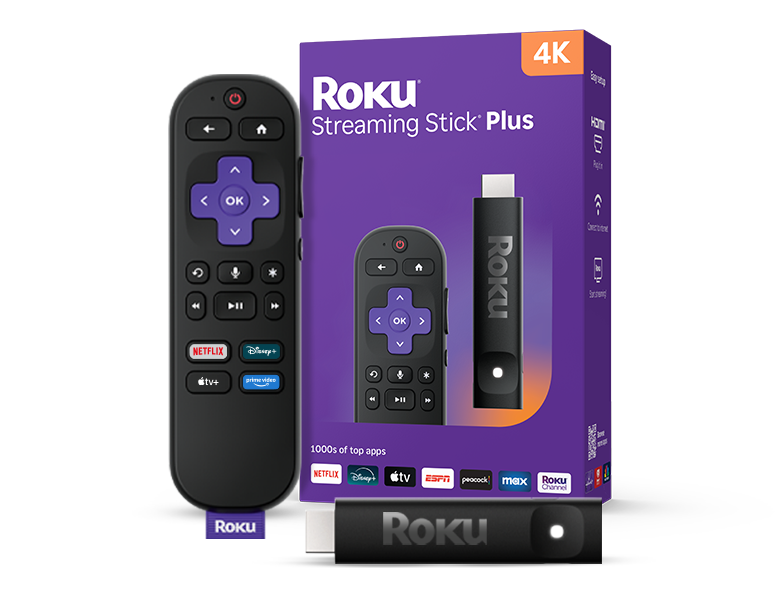
May pickRoku Streaming Stick 4K — one stick, 500+ free live channels, no monthly feeAbout $40 one-time. The Roku Channel's clean live guide beats any antenna and works on every TV.Get one on Amazon →
Two adults, two kids — mix of cartoons, sports, news, and family movies
2 adults + 2 kids (ages 6-14)
Recommended total
$181/mo
$/mo
Enter your current bill above to see your savings — or take the Tailor Fit quiz for a fully personalized plan.
We built this around your priorities: family-friendly, kids-content, broadcast-network-locals. Pair Hulu + Live TV ($83/mo) with CenturyLink Fiber 1 Gig ($90/mo), run it through a Roku Ultra (2024), and keep Netflix Standard with Ads. Hulu + Live TV saves you $10/mo by bundling Disney+ Basic with Ads that you'd otherwise pay separately for ($121 standalone vs $83 bundled). Matches the spirit of your ideal outcome — Drop to one Live TV streaming service that has locals + sports + a few cable favorites, keep Netflix + Disney+, ditch everything else.
Our Pick · What we'd actually install
What we install in real client homes
Bear & Rick · 66 combined years installing cable + AV
A family of four hits unique constraints: simultaneous streams, kids profiles, parental controls, and the need for the Disney Bundle. Our pick combines Hulu + Live TV ($82.99/mo) — which bundles Disney+, Hulu on-demand, AND ESPN+ at zero marginal cost — with a Roku Streaming Stick 4K on each TV and a mesh Wi-Fi system if you don't already have one. Unlimited cloud DVR and Hulu's "Unlimited Screens" tier means everyone watches what they want when they want, no fighting over the remote. Total monthly: ~$135 vs. $245 typical family cable bundle. Add Netflix ($17.99) for the prestige catalog. We deliberately skip YouTube TV here despite the cheaper sticker price because Hulu+Live's Disney Bundle integration saves real money for households with kids — and you'd be paying for Disney+ separately anyway.
Five puzzle pieces — internet, network, device, Live TV, and apps. You only get the experience the weakest piece allows, so we recommend the whole stack, not just one product. Why this matters →
Internet
CenturyLink Fiber — 1 Gig
$90/mo · 940 Mbps · fiber
Symmetrical fiber for 4+ simultaneous 4K streams + WFH uploads. Sports junkies need this floor — 4K live games plus concurrent streams stress the line. No fallback to 500 Mbps for this tier.
Heads up — your house wiring. Cat6 — modern construction or recent rewire. If your house is pre-2015 and never re-wired, Cat5e is likely and caps wired speed at 1 Gbps. See /guides/multi-gig-internet-prep/ for details.
Three paths for your household — pick the one that fits
These are three complete packages, not just three Live TV picks. Each has its own device, its own apps, its own monthly total. Choose based on who's holding the remote. The app lists below show what pairs naturally with each path — not what to keep or drop from your current stack.
Recommended
Modern · streaming
Hulu + Live TV
$83/mo Live TV
Live TV + Disney+ + ESPN+ bundled. Good for families already in Disney ecosystem.
Same Spectrum TV service, same channel lineup, but accessed via the Spectrum Stream app on a Roku / Fire TV / Apple TV. Saves the $15/mo per-TV box rental — you provide a $50 streaming device instead.
No box rental — you provide a $100 streaming device per TV.
Best for: Households that want cable channels but skip the $15/mo box rental — same channels via the Spectrum Stream app on a streaming device. Choice TV (~220 channels) via app.
Transparent reference points only — not what we recommend. The cheapest possible setup and the no-compromise premium tier, both with full trade-offs disclosed. Most households should ignore these and stick with Rick's Pick above.
Upload speed usually caps around 35 Mbps even on gigabit plans — when Zoom + cloud backups + security cams run during prime time, streams buffer
Watch for hidden fees — broadcast TV surcharge, regional sports fee, and modem rental can add $40–$60 to the advertised price
Promo pricing typically jumps 30–60% after 12 months — set a calendar reminder to renegotiate
Gigabit speeds rarely sustain during peak hours (7–10pm) when the whole neighborhood is online
No DVR or pause-and-rewind on the free live TV guide
Local news limited to the free broadcast affiliates Roku's guide carries
Only one paid streaming app in the budget — the rest of the catalog drops
This works for: Light-streaming households where saving on the monthly bill beats sustained gigabit speeds. Not great for power users on Zoom calls and 4 TVs simultaneously — those need fiber.
Reference point only — see the Pick for our recommendation.
AppsNetflix Standard with Ads $8/mo · Disney+ Basic with Ads
Apps that pair with0/mo
· Prime Video with Ads $9/mo · Max with Ads
Apps that pair with0/mo
· Apple TV+
Apps that pair with0/mo
Most households don't need this
Most households don't need this — but for high-end home theater, prosumer needs, or households that want zero compromises on picture/sound/reliability, this is the no-compromise stack. Top-tier fiber, the best streaming device picture pipeline (Apple TV 4K), every premium app on tap.
Reference point only — see the Pick for our recommendation.
Apps that pair with Hulu + Live TV
Based on the Hulu + Live TV Live TV pick above. This is where each app sits relative to your live channels — pairs well, partially overlaps, or fully duplicates.
Pairs well
Fills gaps the Live TV doesn't cover
Netflix Standard with Ads
$8/mo
Adds prestige originals Hulu doesn't carry. Different catalog.
No live-channel guide for this pick — on-demand only.
Editorial integrity: We recommend the right product whether or not we earn affiliate revenue on it. Apple TV and Starlink, two of our top picks, pay us nothing.
Want a recommendation built around your exact stack?
This page shows what a typical standard family of 4 household at 55901 should do. The 2-minute quiz asks the 4 questions we need to make this YOUR plan — including which apps you actually have, what your current bill is, and which channels you can't live without.
Want this installed instead of doing it yourself? A vetted DMV integrator handles everything below.
🛠 DMV-only · vetted local installer
Get it installed by a pro who's done 1,000+ DMV homes.
Moving into a new house, upgrading TVs or speakers, building a home theater, adding smart-home gear, or finally fixing your Wi-Fi — a local installer handles all of it. A 15-minute consult rules out install surprises and usually saves another $50–$200/year on configuration alone.
● 28 years residential AV● 1,000+ DMV installs● Free 15-min consult● No upsells — pre-qualified only
New-home AV designWhole setup planned before you move in
TV install & mountingAbove the fireplace, in-wall power, hidden cables
Home theaterProjector, screen, surround sound, acoustic treatment
Multi-room audioSonos, Bluesound, in-ceiling, outdoor zones
Pulled from real reader emails — and answered directly so you don't have to dig.
What's the best streaming setup for a family with kids?
Hulu + Live TV ($82.99/mo) includes the Disney Bundle (Disney+, Hulu on-demand, ESPN+) at no extra cost. With unlimited cloud DVR + screens for everyone simultaneously, it's the value pick for families. Add Netflix ($17.99) if you want prestige originals.
Can the kids have their own profiles?
Yes — Hulu, Netflix, Disney+ all support 6+ profiles each. Set up a Kids profile for each child with age-appropriate content filters. The "Continue Watching" stays separate so your prestige drama doesn't mix with Bluey.
What about parental controls?
Disney+ has dedicated Kids profiles with PIN-locked exit. Netflix Kids is the gold standard. Hulu has PIN protection on profiles. Roku and Apple TV add device-level PIN locks too. Strongest setup: profile-level + device-level both turned on.
Will 4 TVs streaming at once break our Wi-Fi?
Each 4K stream needs ~25 Mbps. Four 4K streams = 100 Mbps inbound. Most modern internet handles that. The bottleneck is usually Wi-Fi coverage, not bandwidth — a mesh Wi-Fi system (Eero, Orbi, Deco) at $300-500 solves coverage issues for years.
2026 Rotation Calendar
When to cancel vs keep each app — month by month
25% of streaming subs cancel after finishing the show they signed up for (Antenna 2026). Rotating prestige apps month-to-month based on what's actually airing saves households $20-40/mo without losing access to anything they actually watch. Set a calendar reminder on the 1st of each month — it takes 30 seconds in the app.
Jan – Feb
✓ keep Max✓ keep NetflixApple TV+Peacock
Awards season — HBO and Netflix prestige dominate. Apple TV+ slows after Severance airs. Peacock light on must-watch live until Olympics in Feb.
Mar – Apr
✓ keep Max✓ keep Paramount+NetflixDisney+ Bundle
March Madness drives Paramount+ + CBS streaming. Netflix typically lighter in March. Disney+ between Mandalorian / Marvel windows.
May – Jun
✓ keep Disney+ Bundle✓ keep Apple TV+MaxPeacock
Marvel/Pixar summer releases hit Disney+. Apple originals ramp. Max in lull between Last of Us seasons.
Jul – Aug
✓ keep Netflix✓ keep Apple TV+MaxParamount+
Stranger Things-style summer prestige on Netflix. Apple originals continue. Max + CBS in summer rerun mode.
Sep – Oct
✓ keep Peacock✓ keep Hulu+Live (if you have it)NetflixApple TV+
NFL kickoff — Peacock and locals matter most. Netflix awards prep lull. Apple TV+ launches Q4 originals later.
Nov – Dec
✓ keep Max✓ keep Netflix✓ keep Disney+ BundlePeacock (post-NFL until late playoff)
Holiday tentpoles + awards bait drop on all 3. Peacock loses must-watch until NFL Wild Card.
How to actually do this: All major streaming apps let you cancel from the app or web in under 60 seconds. Your account stays active until the end of the current billing cycle so you don't lose immediate access. Resubscribing is one click — your profile + watchlist survive. Bundle subs (Disney Bundle, Hulu+Live) DON'T benefit from rotation since canceling forfeits the bundle discount. Keep those steady.