Weekly Top 5 Questions — Issue #1
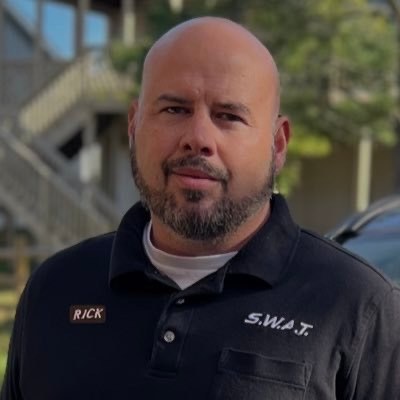
Welcome to the launch issue. Every Monday going forward we'll pick the 5 best questions readers sent us during the week and answer them honestly. No clickbait, no marketing fluff — just what we'd tell a friend at the kitchen table. Submit yours for next week's issue.
Q1 — "Is it worth buying the Plex Lifetime Pass before July 1, or should I just keep paying monthly?"
— David, ZIP 30307 (Atlanta GA)
Short answer: If you use Plex more than once a month and have any intention of running a server long-term, buy it before July 1. After that date the Lifetime jumps from $249.99 to $749.99 — that's a $500 increase that takes about 14 years of monthly $4.99 subscriptions to recoup. Most people will recoup it in 4-5 years at the OLD price.
The honest installer take: I've had Plex Pass for 8 years. It's the only software subscription I've kept that long without questioning it once. Hardware-transcoding alone (offloading the work to your GPU instead of your CPU) is worth the price for anyone running a server with more than 2-3 simultaneous streams. The new May 2026 channel additions (600+ free FAST channels now) make it useful even for people who don't run a media server.
What I'd NOT do: Don't buy Lifetime if you're just using Plex to watch a few movies you downloaded years ago and never opening the app. The free tier covers that.
📌 Related: Plex adds 13 free channels + Lifetime deadline article
Q2 — "Stowe Vermont just got Fidium fiber. I have Xfinity now. Should I switch?"
— Margaret, ZIP 05672 (Stowe VT)
Short answer: Almost certainly yes, if you can get a Fidium install slot. Fidium is symmetric fiber (same upload as download), which Xfinity isn't. For a Stowe house running 4K streaming + work-from-home + a Plex server, the upload difference alone is worth the switch.
Real pricing as of this week: Fidium 1 Gig sym is ~$60-70/mo in Stowe with no contract. Comparable Xfinity 1.2 Gig is $80/mo with 12-month promo then $115/mo. Over 2 years Fidium saves roughly $1,000. The Fidium gateway also doesn't bake in a data cap, Xfinity's does (1.2 TB).
What to verify before you cancel Xfinity: Run a 14-day test. Order Fidium, keep Xfinity overlapping for the first 2 weeks, confirm Fidium speed at your address actually hits what they promise. If a previous owner had wireline problems with the Fidium install, you want to know before cutting cable. Most fiber installs are clean, but it's a $0 insurance policy to overlap.
One Stowe-specific note: If you're on a long driveway, the Fidium tech may need to trench from the road to your house — typically free, but can add 2-4 weeks to the install. Ask up front.
📌 Related: Internet provider guide · We just added Fidium to our ZIP coverage data this week — Stowe + 19 other VT towns now show it as the primary option
Q3 — "I'm a Detroit Pistons fan. FanDuel SN Detroit is going dark this month. What do I do for next season?"
— anonymous reader, ZIP 48201 (Detroit MI)
Short answer: Don't pay for anything yet. The Pistons haven't announced where games will land for 2026-27. Most likely outcomes based on what other ex-FDSN teams are doing: free OTA on a Detroit station (probably WADL or a Gray Television affiliate) + a Pistons direct-streaming app on the side for ~$50-100/year.
What to do TODAY:
- Put up an antenna NOW. A $40 amplified indoor antenna ($80 if you need outdoor) — it covers you regardless of which direction the Pistons go. See our free TV guide.
- Cancel any cable RSN (Local Sports) line item on your bill. If you've been paying a $12/mo "RSN (Local Sports) fee" for FDSN Detroit, call Comcast / WOW / DirecTV and have it removed. Most reps will refund the current month since the channel is going dark anyway.
- Bookmark the Pistons announcement. Expected by mid-August for the 2026-27 season tip-off in October. We'll cover it as soon as it lands.
📌 Related: FanDuel SN team-by-team guide (full list)
Q4 — "YouTube TV launched genre plans. I only watch sports. Should I switch from the $82.99 plan to the $64.99 Sports plan?"
— Marcus, ZIP 75201 (Dallas TX)
Short answer: If sports is genuinely the only reason you have YouTube TV, yes — you save $18/mo / $216 a year. The Sports plan covers ABC, CBS, FOX, NBC, the ESPN family, FS1, and NBC Sports — basically everything you'd watch live on a Saturday or Sunday. ESPN Unlimited rolls in for fall 2026 too.
Read this part carefully: The Sports plan does NOT include local Regional Sports Networks. If you care about the Dallas Stars or Mavericks via Bally Sports Southwest (now winding down — see Q3), the Sports plan doesn't solve that for you. That's a separate problem.
If you're new to YouTube TV: The first-year promo on the Sports plan is $54.99 — even better. The promo only applies to NEW subscribers, not existing ones switching plans.
What to NOT do: Don't pick a "Combo" plan just because it looks like a deal. If Sports plan covers your actual usage at $65, the combo plans at $72-78 are a waste. They only make sense if you'd otherwise pay for the entertainment channels as separate add-ons.
📌 Related: Full YouTube TV genre plans decision tree
Q5 — "I just bought a 98-inch TCL. Can I really mount it on my drywall, or am I going to rip it off the wall?"
— Patrick, ZIP 89117 (Las Vegas NV)
Short answer: You can — but the mount and the install method matter a lot more at 98" than at 65". For a 98" TCL (around 110-130 lbs depending on model), the rule is: 3 studs minimum, Beast-class mount, use the lag bolts that came in the box.
What I'd buy: The Mount-It MI-394 "The Beast" — rated 60-110" up to 275 lbs, ASIN B08Z7QW5S6. It bolts to 3 studs minimum (the wall plate is wide enough to span 32" of horizontal real estate). About $200.
Why not a 75-100" Echogear or similar tilt mount? They'll technically hold the weight on paper. In practice you want extra margin at 98" because the cantilever load on the lower mounting bolts is massive when someone bumps the screen. The Beast is overbuilt by design and the price difference is $40-60.
The install math: 3 studs, 16" on center, gives you a 32" span. The Beast's wall plate is 32"+ wide. You need:
• The lag bolts that came in the box — they're sized correctly for the rated load. After 28 years I see people throw away the OEM hardware and buy random hardware-store bolts. Don't. The Beast's kit is the spec.
• A stud finder that actually finds studs through 5/8" drywall (the Franklin ProSensor M210 is the only one I trust)
• A second person to lift the TV onto the bracket — non-negotiable at 98"
What I'd NOT do: Don't articulate a 98" TV away from the wall. The torque on a fully-extended 110-lb TV pulling out and tilting is what fails 98" mounts. Push the TV flat to the wall, run a single continuous HDMI cable from source to TV — no elbows, no right-angle adapters, no HDMI wallplate keystones. Every extra connection is a handshake and a potential failure point. If the connector clears the wall tight, use a slim-boot HDMI cable or drop the wall opening a couple inches below the connector; don't solve it with an adapter. And accept that you'll need 2 strong friends if you ever upgrade.
📌 Related: Full TV mounting install guide · TV mount builder tool
Submit a question for next Monday
Got something you're stuck on? Send it our way — we read every one and pick the best 5 each Monday. If we publish yours, we credit you by first name + state (or anonymously if you prefer).