What a TV Install Actually Costs in 2026 — A 28-Year Installer's Honest Breakdown
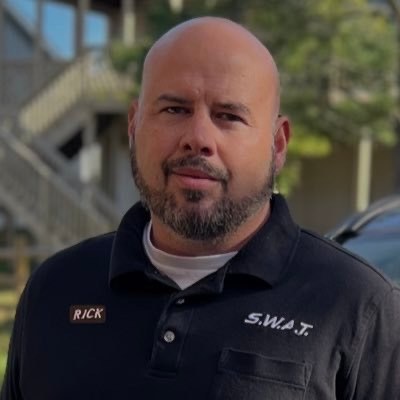
Nobody publishes real TV installer pricing. We do. Here's exactly what a professional install runs in 2026 — by TV size, by scenario, and by tier — plus what you actually get for the money versus the cheap handyman across town. From 28 years of residential AV installs.
If you're shopping a TV install in 2026, you've probably gotten three quotes that look like three completely different jobs. One guy quoted $150 over Craigslist. The local AV shop quoted $1,200. Best Buy's Geek Squad quoted somewhere in between but stripped the install down to bare minimum. None of them explained what's actually different.
This guide gives you the truth. Real DC-metro pricing for every common TV install scenario, broken into three tiers: DIY (you do it with brand-name parts), handyman / discount installer (the trunk-slammer with a cheap Amazon mount), and pro white-glove (the install that actually looks pro forever — and the installer you can call six months later when you have a question). We'll show you what each costs, what you get, and — critically — what you don't.
The trunk-slammer reality (why a $99 install is never really $99)
Before we get to numbers, you need to understand the dynamic that makes most consumers feel ripped off no matter who they hire. Rick has watched it play out thousands of times:
That's the trap. The cheap install advertises $99 to get you in the door. By the time they're at your house and the cheap mount they brought isn't long enough, or your studs aren't where they want, or you actually need a power kit they didn't bring, they're upselling you to $450 to finish. The savings vanish — and now you've got a job done by someone whose whole business model is "fast, cheap, and gone."
A real pro tells you the price upfront. Yes, it's higher. The whole point of this guide is to show you exactly where every dollar goes so you can make the call with your eyes open.
Pricing by TV size — DC metro white-glove baseline
The biggest single driver of install cost is TV size, because size dictates how many technicians it takes to do the job safely. Below are the three tiers Rick's shop uses, with all-in pricing assuming a tilt mount on a standard drywall wall with a power outlet already behind the planned TV location. Complex scenarios (fireplace, brick, stone, marble, no outlet) scale up from here — covered later in the guide.
What the same install looks like across the three tiers
Here's the 65–75" install (the most common) priced side-by-side at all three tiers. Same TV, same wall, same outcome on the wall — wildly different experience and quality of the finished product.
- Same CI-grade tilt mount class a pro would install
- PowerBridge kit + Panamax surge + HDMI 2.2 + Cat 6 pair + Roku
- Save vs. pro: roughly $650
- Your weekend back
- The lift help (do NOT go solo on a 65"+)
- Patch + paint if you drill wrong
- Workmanship warranty
- Someone else does the hang (1–2 hr)
- Lower upfront cost than a pro
- Trunk-slammer mount ($40 from a big-box store, not $379 CI-grade)
- Booties, drop cloths, or walkthrough
- Patch + paint
- Workmanship warranty or TV-loss liability
- No follow-up support — once the check clears, they're gone
- The "savings" usually disappear in install quality
- Booties + drop cloths · clean install
- Surgeon + assistant — TV doesn't get dropped
- CI-grade tilt mount ($379, installer-only)
- Walkthrough + customer education
- Patch + paint INCLUDED in labor
- Workmanship warranty
- TV-loss liability covered
- Ongoing support — call us any time after the install
The invisible value-prop: ongoing post-install support
Here's the part no one tells you when you're shopping quotes. When you hire a real pro, you're not just paying for the install day — you're buying a relationship with someone who knows your setup and is reachable when something comes up later. The remote starts acting weird. The soundbar suddenly stops syncing. You want to add a streamer six months in. You forgot how to switch inputs after a power outage. A real pro picks up the phone.
That ongoing relationship is the single biggest invisible part of the pro price tag — and it's the one customers don't think about until they need it. The cheap install guy doesn't return calls because his entire business model is volume + speed. He has to be on the next job. The pro answers because the relationship IS the business.
It's also why the "save $400 going trunk-slammer" math almost always turns into a regret six months in. You saved the labor — and now you've got a question, a tweak, or a problem, and the only number that calls you back is a Best Buy 1-800 line that doesn't know anything about your install. A real pro saved your install context, knows your wall, your mount, your gear — and most importantly, knows how it was wired the day they left.
"Trunk-slammer" vs "handyman" vs "pro" — three very different things
Most pricing guides lump every non-DIY installer into a single "handyman" bucket. That bucket is hiding three very different operators, and the difference between them is the difference between an install you're happy with for 10 years and one you hate the day they leave.
Path 2A — The trunk-slammer (avoid)
The cheap install guy advertising "$99 TV mount" on Craigslist, Nextdoor, or Facebook Marketplace. Cash-only. Cell phone for a business number. Truck might be unbranded or sticker-only. No license. No insurance. No warranty he can legally offer. Hops between trades he isn't qualified for. Once the check clears, his phone is off.
The 8 red flags of a trunk-slammer:
- The vehicle — they show up in a Honda Accord or a small SUV with the TV mount in the back seat. No ladders. No tool drawers. No company wrap. Rick: "a real pro shows up in a fully-stocked high-roof van. The vehicle isn't a small detail — it tells you whether they're a real business or a side hustle."
- No business license or state contractor number you can verify
- No proof of general liability insurance (ask — they should be able to email a COI in 10 minutes)
- No written estimate or itemized invoice — just a verbal price
- Cash only, or "discount for cash" pressure
- Brings a cheap $40 mount instead of using the one you specify
- No mention of patch + paint if a hole goes in the wrong spot
- Phone goes to voicemail after the install — and stays there
Path 2B — The legit handyman
A licensed, insured, multi-trade small business. Has a website, Google reviews, repeat customers. Hourly billing (typically $50–$125/hr depending on market — see the table below). TV mounting is one of dozens of services they offer; not their specialty, but they're competent at it. They'll come back if something goes wrong because their business depends on repeat work and referrals.
A legit handyman is a fair choice when: TV size is 32–55", wall is standard drywall, outlet is already in place, you don't need any AV expertise (just a mount that's level and a TV that's plumb), and you're providing the parts. Where they fall short: they don't carry CI-grade mounts in their van (you have to source it), they don't know AV-specific tricks like cable management or future-proofing for a soundbar/Atmos upgrade, and they generally won't handle complex surfaces (brick, stone, marble, fireplace).
Path 3 — The pro AV installer
An AV-specialty installer like Rick's shop. Licensed and fully insured. Invested for the long haul, committed to customer service and referrals. AV-specific training and product knowledge. The pro is the most expensive tier but also the only one where you get an actual installation specialist on the job AND someone who answers the phone six months later.
That "guinea pig" framing is the part consumers usually don't think about until they're living with the install. The pro has seen every quirky new soundbar handshake, every new HDMI 2.2 cable failure mode, every new Wi-Fi 7 router mesh interaction with a smart TV. They've already solved those problems on someone else's job. When you hire the pro, you're paying not to be the test case for the next firmware bug or the next compatibility quirk.
The vehicle tells you a lot. A real pro shows up in a fully-stocked high-roof van with the company wrap on it — ladders mounted, tool drawers on both walls, every CI-grade mount and cable in stock so they finish the job in one trip. A trunk-slammer shows up in a Honda Accord with a TV mount in the back seat. The vehicle isn't a small detail — it's a direct read on whether they're equipped to handle whatever your install throws at them, and whether they're a real business or a side hustle.
What handymen actually charge — major U.S. markets (2026)
If you're hiring a legit handyman (Path 2B above) for a standard 32–55" drywall install with the outlet already present, here's what you can expect their labor portion to run by market. These are 2026 industry-published rates (Angi, HomeGuide, PayScale, Networx, Thumbtack), and they assume you're providing the mount and parts — the rates are labor-only.
| Market tier | Hourly rate | Typical 32–55" install labor (~2 hr) | Example metros |
|---|---|---|---|
| Tier 1 — high-cost coastal | $100–$150/hr | $200–$300 | NYC · San Francisco · LA · Boston · Seattle |
| Tier 2 — mid-Atlantic + western | $85–$110/hr | $170–$220 | DC metro · Denver · Miami · San Diego · Portland |
| Tier 3 — major metros | $65–$90/hr | $130–$180 | Atlanta · Dallas · Chicago · Phoenix · Houston · Minneapolis |
| Tier 4 — mid-tier metros | $55–$75/hr | $110–$150 | Cleveland · Kansas City · Indianapolis · Nashville · Pittsburgh |
| Tier 5 — smaller cities + rural | $50–$70/hr | $100–$140 | Smaller metros + rural areas nationwide |
Add ~25% for a 65–75" install (two-person job, longer time) and ~50% for an 85–98" install. Add parts on top — figure $300–$700 in parts for a quality CI-grade mount, PowerBridge, surge protector, HDMI, and Cat 6 (skipping the Roku if not needed).
Where the labor money actually goes
Most consumers don't realize professional installers bill at $150 per man-hour in DC metro. That rate isn't arbitrary — it covers the technician's pay, the truck and tools, the workman's comp and liability insurance, the patch and paint materials, and the warranty Rick stands behind after the job is done. A two-tech crew at $150/hour for two hours is $600 in labor alone, before any parts.
That $150/hour is also why a single technician hanging a 65" by himself isn't actually cheaper. It IS cheaper for the install company — but Rick won't send a solo tech on a 65"+ because the risk of a scuffed wall, a damaged TV, or a missed measurement is too high. The two-tech crew is a quality call, not a billing scheme.
Standard parts kit (what's included in the price)
| Part | Price | Why it's in the kit |
|---|---|---|
| PowerBridge kit | $109 | Code-compliant in-wall power relocation. Lets us legally move power to the TV-height outlet without an electrician. |
| Panamax 8-outlet conditioner + surge | $89 | Protects the TV + every other piece of gear in the cabinet from line spikes. |
| Premium HDMI 2.2 (10 ft) | $79 | In-wall rated, full 4K/120 bandwidth. Cheap HDMI cables are the #1 silent failure point on installs. |
| Cat 6 jumpers (pair, 10 ft) | $40 | Network drop to the TV and to the receiver/streamer. Future-proofs the install for HDBaseT and 2.5GbE. |
| CI-grade tilt mount | $279 / $379 / $429 | Razor-thin (32–55") / extra-large (65–75") / heavy-duty 3-stud-spanning (85–98"). NOT the $40 Amazon mount. |
| Roku Streaming Stick 4K (optional) | $50 | Our pick for free live channels + clean guide. Most homeowners need a streamer; this is the simplest, cleanest one. |
Complex scenarios — what adds to the baseline
The size-tier pricing above assumes the easiest scenario: standard drywall, outlet already behind the TV, no fireplace, no special surface. Real installs aren't always that easy. Below is what each common complication adds to the pro labor.
| Scenario adder | Labor add | Why |
|---|---|---|
| Fireplace install · drywall surround | +$150 | Need to inspect chase for exhaust pipe clearance + plan the cable route around the gas vent. |
| Fireplace install · tile or marble surround | +$300 | Diamond bits + slow wet drilling through tile. Higher risk of cracking the surround → liability cost baked in. |
| Brick fireplace · pre-wired | +$150 | Easy when the wiring's already in place. Just drill for masonry anchors, lag the mount, plug in. |
| Brick fireplace · no pre-wire (full trench) | +$700 | This is a construction project, not a TV install. Trenching mortar joints for new power + LV cables, then patching the mortar after. Slow, dirty, requires repaint/seal. See the Frame Pro escape below. |
| Stone fireplace · flat stones, pre-wired | +$150 | Flat stone is the easy case. Diamond bits drill it fine, mount sits flush, no shimming. |
| Stone fireplace · uneven / protruding stones | +$300 | Roughly twice as hard as flat stone. Each anchor point sits at a different depth — shim and spacer behind the bracket so the TV plane is level. Custom-fit work. |
| Stone fireplace · no pre-wire | +$800 | Worst-case install. Stone trenching is brutal — irregular surfaces, hardness varies, patching is artisan-level work. See the Frame Pro escape below. |
| Plaster wall (older home) | +$112 | Plaster is brittle. Pilot every hole; stud-find through plaster takes experience. |
| No outlet behind TV (PowerBridge install) | +$75 | Cut a second hole, fish the in-wall power cable, terminate both ends. |
| In-wall recessed TV (equipment hidden behind) | +$450 | Cut wall opening + reinforce framing + relocate electrical + drywall finish + paint. Slowest install. |
| Outdoor · power + network present, covered | +$150 | Easiest outdoor case — outdoor-rated mount + sealed cable entries. |
| Outdoor · NO power/network, covered | +$400 | The real cost on outdoor isn't the TV — it's getting power and network out there. Electrical run + conduit. |
| Outdoor · power + network present, StormShell required | +$400 | StormShell assembly + securely mounting it to the wall is a 2-3 hour job by itself, on top of hanging the TV inside. |
| Outdoor · NO power/network, StormShell required | +$650 | Worst-case outdoor — electrical + conduit + StormShell assembly + mounting + sealed all the way through. |
| Rack in another room (HDBaseT or fiber HDMI run) | +$150 | Longer in-wall pull, HDBaseT extender pair termination, run testing. |
A real-world example: a 65" TV over a gas fireplace with marble tile surround and no pre-wire would land at roughly $1,346 baseline + $300 marble surround + $150 fireplace planning = ~$1,796 all-in for the pro install. Same install with the LV pre-wired to a basement rack would be closer to the $1,571 mark because the cable run is already done.
The Samsung Frame Pro escape — when an expensive TV is cheaper than the install
Here's the install play almost no one talks about, because it's a TV upsell that REDUCES the labor invoice — most installers don't WANT customers to know about it.
The setup: you've got a brick or stone fireplace. There's already power at the wall where you want the TV. But there's no low-voltage wiring in place — no HDMI, no Ethernet, nothing for sources. Traditional install path: trench the mortar joints to run new LV cabling, then patch the joints after, then repaint or seal. That's the $700–$800 construction adder you saw in the table above — and you stare at the patched mortar forever.
How it works: Samsung Frame Pro's wireless OneConnect Box means the only cable that has to be AT the TV is power. All your HDMI, antenna, and source inputs live in the OneConnect Box, which sits in a cabinet, basement, or another room entirely. The data link between TV and box is wireless. So if your fireplace has power at the planned TV location, you skip ALL the LV trenching that would otherwise turn this into a construction project.
The math on a 65" brick install:
| Path | TV cost | Install labor | Total | What you live with after |
|---|---|---|---|---|
| Trench-the-mortar (no Frame Pro) | ~$1,200 (mid-tier 65") | ~$1,300 | ~$2,500 | A patched mortar joint that you stare at forever, plus the standard TV |
| Frame Pro wireless OneConnect | ~$2,800 (Frame Pro 65") | ~$675 | ~$3,475 | Premium art-frame TV you own for 10+ years, NO mortar patches, hides as artwork when off |
Net: the Frame Pro path costs about $975 more upfront — but you get a substantially better TV you keep for a decade, you skip the construction work, and you don't have a permanent mortar patch staring at you. Most customers, once they understand the trade-off, pick the Frame Pro path. The same logic applies to uneven/protruding stone fireplaces where the LV trenching would normally be even harder.
When this play makes sense: brick or stone fireplace, real masonry (not veneer), power already at the wall, customer's buying a new TV anyway. When it doesn't: no power at the wall (you'd still trench for power, killing the savings), or the customer already has a TV they love.
Outdoor TVs — where the cost actually lives
Outdoor TV installs are widely quoted as a one-line "outdoor adder" of $300–$1,000 over baseline. Reality is more nuanced — the TV portion of the install is easy, but two specific things drive the labor up: getting power and network to the outdoor location, and assembling/mounting a weatherproof StormShell enclosure if the TV's not under a covered patio.
Where the labor really goes:
- The TV mount itself: easy, ~30 minutes once the wall's prepped. Same as an indoor install.
- Electrical run (if no outdoor outlet): 1–2 hours of running a new circuit + conduit + code-compliant outdoor receptacle. Often requires a licensed electrician, not just an installer.
- Network/LV run (if no outdoor jack): 1–2 hours of pulling Cat 6 or HDBaseT in conduit alongside the power.
- StormShell assembly + mounting (if exposed): the enclosure ships flat. It's 2–3 hours by itself to assemble and securely mount to the wall before the TV ever goes in.
Rough decoder for outdoor budgeting: the four entries in the complexity-adder table above translate to four scenarios. If your outdoor wall has an outlet AND a network drop AND a covered patio, you're at the $150 adder. If you've got nothing and need StormShell, you're at $650+ — and at that point you're really paying for a small construction project, not a TV install.
The honest read: if the outdoor location has zero power and zero network already, get a written quote from BOTH an electrician AND an AV installer before committing. The electrical work often costs as much as the TV install itself, and bundling under one trade rarely saves money.
The fair-market check (how to spot a price gouge)
📊 Our rule of thumb
If a local pro quotes you more than 30% above the DC-metro fair market for your exact install scenario, get a second quote. For a 65–75" standard drywall install with outlet present, that ceiling is about $1,750. For an 85–98" install, $2,200. For a fireplace install on tile or marble, expect the ceiling to be higher because of the complexity adder.
Outside the DC area, coastal cities (NYC, SF, Boston) run roughly 20–40% higher than the numbers in this guide. Mid-tier metros (Atlanta, Chicago, Dallas, Denver, Seattle) run 10–20% lower. Smaller markets and rural areas can run 30–40% below DC pricing — though parts costs stay roughly the same.
The cheapest quote isn't always the best, but a quote that's significantly above this range usually means the installer either doesn't want the job or is hoping you don't know the market. Either way, it's worth a second opinion.
When to DIY vs. when to hire a pro
DIY makes sense if all of these are true
- The wall is standard drywall (not brick, stone, marble, or plaster)
- There's already a power outlet within reach behind the TV location
- You own (or are willing to buy) a stud finder, a level, a drill, and the right bits
- You've got at least one helper for any 65"+ TV — never go solo on a heavy panel
- You're comfortable measuring, leveling, and using basic tools without panicking
Hire a pro if any of these are true
- The TV's going over a fireplace (especially gas inserts with exhaust pipes)
- The wall is brick, stone, tile, marble, or plaster
- The TV is 85" or larger (weight + 3-stud spanning + transport safely)
- No outlet is anywhere near the TV location and you don't want to deal with PowerBridge fishing
- You're not 100% confident measuring and leveling
- You're installing in a rental and any wall damage costs more than the labor savings
The middle ground — handyman or trunk-slammer — works for a tiny percentage of installs (small TV, simple wall, you just don't want to do the work yourself). For most installs, it's the worst-value option. Either save the labor cost and DIY with the right parts, or pay for the pro and get the install done right.
Get your exact install estimate (free)
🛠 Build your TV install cart — 5-minute walkthrough
Tell us your TV size, your wall, and your scenario. We'll generate the exact parts list, walk you through every step Rick takes on a real install, and show you the side-by-side DIY vs. handyman vs. pro pricing for your specific job.
Open the TV Mount Builder →Related guides
- The honest take on mounting soundbars with TVs — 28-year installer guide
- Signal distribution + compression — how cables really work behind the wall
- Cable Wi-Fi streaming boxes vs. traditional MoCA boxes
Build my plan — start the free quiz →
Pricing in this guide reflects DC metro fair-market rates as of June 2026, verified directly with Rick's installer book of business. Re-verified annually. Last update: 2026-06-01.