
The Fios Stream 2 / Xumo / Cox Contour guide pattern — same cable channels, no MoCA, no coax-locked router.
What changed in 2025-2026
For a decade, cable companies locked you in two ways. First, you had to rent a clunky set-top box with a hard drive that pulled signal over coax via MoCA. Second, that MoCA path almost always required the carrier's own router as the gateway — so if you wanted to use a 3rd-party mesh like eero or Orbi, you had to fight with bridge-mode configurations that half the time didn't work right.
After 28 years of installs, half my cable customer-service calls used to be "can you make this work with my Eero?" The answer was usually "you have to bridge the Fios router and run the cable box through that anyway." That was the deal.
In 2025-2026, every major cable carrier quietly shipped a new Wi-Fi streaming box that completely changes that math:
- Verizon Fios → Stream TV (also called "Stream 2")
- Xfinity (Comcast) → XiOne / Xumo Stream Box
- Spectrum (Charter) → Xumo Stream Box
- Cox → Contour Stream Player
These boxes are essentially streaming pucks — small Android-TV-style devices with HDMI out and Wi-Fi 6 in. No coax port on the box. No carrier-router requirement. They connect to any home Wi-Fi network, including 3rd-party mesh systems. Run all your cable channels (the full lineup you're paying for — not a stripped-down "lite" version), plus the standard streaming apps. Lower monthly rental than the old boxes.
If you're a cable customer in 2026 who's still using the old MoCA box because that's what came with the install, you're paying more for less flexibility. Here's the lineup.
The carrier-by-carrier matrix
| Carrier | New Wi-Fi box | 3rd-party mesh OK? | Cost / mo |
|---|---|---|---|
| Verizon Fios | Stream TV (Stream 2) | ✓ Yes | 1st free · $10/mo extras |
| Xfinity | XiOne / Xumo Stream Box | ✓ Yes | 1st free · $5/mo extras |
| Spectrum | Xumo Stream Box | ✓ Yes | $5/mo · or $60 buy |
| Cox | Contour Stream Player | ✓ Yes | $5/mo |
| Fios TV One (legacy) | — | ✗ MoCA-locked | $14/mo |
| Xfinity X1 (legacy) | — | ⚠ Partial · bridge mode | $10-15/mo |
1. Verizon Fios Stream 2 — the headline release
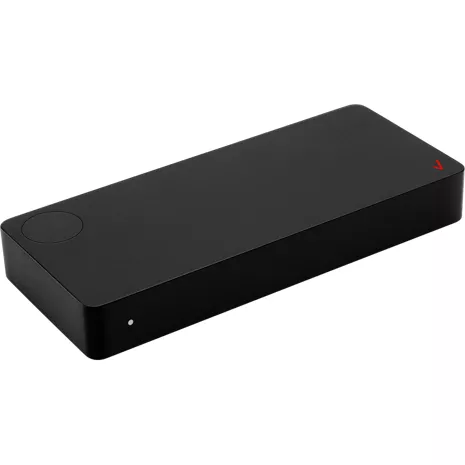
Fios Stream TV (Stream 2)
Buy at Verizon → 📞 Call Verizon (1-833-VERIZON)
What it is: A small gray Android-TV puck that plugs into your TV via HDMI and gets cable channels over Wi-Fi. Now runs Android 14 (firmware v2.0.32). Supports 4K HDR including Dolby Vision and Dolby Atmos. Doesn't need coax. Doesn't need the Fios router.
Channel lineup: Same as Fios TV One — entry tier 125+ channels, mid tier 250+, top tier 425+. Includes all locals, sports, RSNs, and premiums you're paying for. Not a stripped-down "lite" version like some older streaming apps.
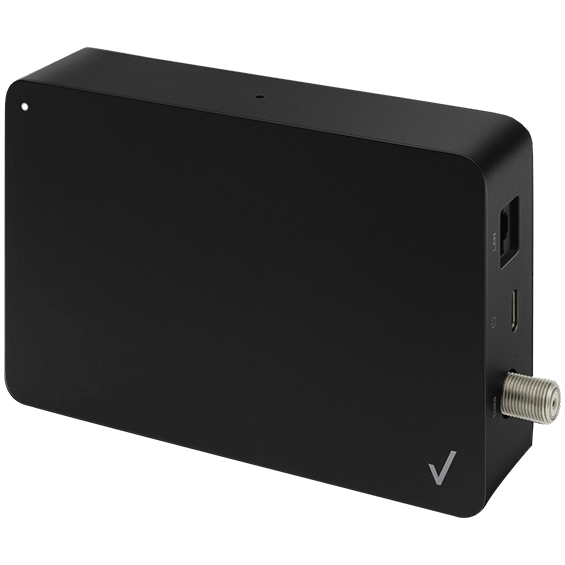
Optional MoCA / Ethernet adapter (model ASK-MAE311): $60 one-time. Plugs into the Stream 2 via USB-C and gives you wired backhaul over your existing coax (MoCA 2.5 standard, up to 2.5 Gbps). Use it only if a specific room has weak Wi-Fi — most installs are fine on Wi-Fi 6 alone.
When to stick with the older Fios TV One: if you want a local DVR with a hard drive. The Stream 2 uses Verizon's cloud DVR — most people prefer that, but power DVR users who record dozens of hours weekly may still want the local-drive Fios TV One.
2. Xfinity XiOne / Xumo Stream Box
XiOne / Xumo Stream Box

Order from Xfinity → 📞 Call Xfinity (1-800-COMCAST)
What it is: A streaming puck running Comcast's Reference Platform (Linux-based — same engine that runs Sky in Europe). Wi-Fi 6 + Bluetooth 5.0 + Gigabit Ethernet + 4K HDR + Dolby Vision + Dolby Atmos. Comcast launched it as "XiOne" (developer name); Xfinity sells it as the Xumo Stream Box.
Channel lineup: Same as your Xfinity TV plan, plus 300+ free Xumo Play FAST channels included.
The catch: Comcast's Reference Platform isn't full Android TV. Most major streaming apps work (Netflix, Disney+, Max, Prime Video, Apple TV+, Hulu, Peacock, YouTube), but some niche third-party apps aren't available. If you're an Android-TV-power-user this matters; if you mostly stream the majors, you won't notice.
3. Spectrum Xumo Stream Box
Xumo Stream Box
Order from Spectrum → 📞 Call Spectrum (1-855-660-1331)
Same hardware as Xfinity XiOne — joint-ventured between Comcast and Charter. Wi-Fi 6, Gigabit Ethernet, Bluetooth 5.0, 4K HDR, Dolby Vision, Dolby Atmos. Works on any home Wi-Fi.
Spectrum doesn't include the first box free like Xfinity does — that's the only meaningful difference. Otherwise the experience is identical.
Where it shines: Spectrum customers deep in 3rd-party mesh (Spectrum's older boxes were locked to their gateway router via MoCA).
4. Cox Contour Stream Player
Contour Stream Player
Order from Cox → 📞 Call Cox (1-800-234-3993)
Same Xumo hardware as Spectrum and Xfinity, branded as Contour Stream Player. Wi-Fi 6, full 4K HDR + Atmos, works on any mesh.
⚠ Install pro rule — hardwire with Cat6 when you can
Despite the "Wi-Fi streaming box" branding, every one of these boxes has an Ethernet port and should be hardwired with Cat6 whenever you can run a cable to the TV location. Wi-Fi is the fallback. Cat6 is the install pro's first choice.
| Box | How Cat6 connects |
|---|---|
| Fios Stream 2 | Via the optional ASK-MAE311 adapter (USB-C). The adapter has an RJ45 Ethernet port — Cat6 plugs straight in. Adapter also accepts coax for MoCA fallback. |
| Xfinity XiOne / Xumo | Gigabit Ethernet built directly into the box. Plug Cat6 in. Done. |
| Spectrum Xumo | Same hardware — built-in Gigabit Ethernet on the box. |
| Cox Contour Stream Player | Same hardware — built-in Gigabit Ethernet on the box. |
The real-world performance gap
| Scenario | Wi-Fi 6 (best case) | Cat6 Ethernet |
|---|---|---|
| Single 4K HDR stream | Fine | Fine |
| 4K HDR + family streaming on same Wi-Fi | Buffering possible | Zero impact |
| Multi-box household (3+ Stream boxes during prime time) | Bandwidth contention | Each box dedicated 1 Gbps |
| Live sports — low latency matters | ±200ms jitter possible | ±5ms typical |
| Peak-hour cable (NFL Sunday 4:25pm) | Slight degradation common | Bulletproof |
Pre-wire rule for new construction or renovation
If you're remodeling, finishing a basement, or building new — get Cat6 to every TV location before drywall goes up. Specifically:
- Run at least one Cat6 to every TV wall. Two is better — one to the TV, one to the credenza below in case you add a streaming box, soundbar, console, or game system later.
- Terminate to a keystone jack behind the TV. Don't leave raw cable hanging out of the wall.
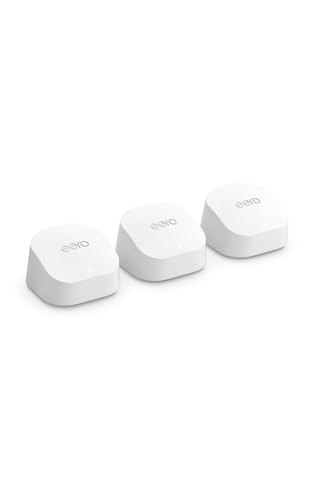
- Home-run every jack back to a central network rack or closet with a gigabit switch. Mesh-node-style APs (eero Pro 7, Orbi, UniFi) also live in the rack/closet — wired backhaul makes the whole house Wi-Fi faster too.
Once the walls are open, Cat6 is essentially free. After drywall goes up, you'll pay an installer ~$200-400 per drop for retrofit fishing. Take advantage of open-wall moments.
No Cat6 in the TV room? Three real options.
Not every install has a clean Cat6 run waiting for you. Maybe the walls are closed, maybe the TV is on an interior wall with no easy fishing path, maybe Wi-Fi is genuinely weak in that one room. Here's the install pro decision tree:
ASK-MAE311 MoCA / Ethernet Adapter
CARRIER
Order from your carrier (free with most installs)
Add a mesh node + hardwire the cable box off the mesh node
Performance order, best to worst
Once you've decided which path you're going down, here's what to expect performance-wise:
- Cat6 home-run to a central switch. Best of all worlds. Bulletproof.
- Cat6 to a wired mesh node (eero / Orbi with Ethernet backhaul). Essentially identical performance to #1.
- Cat6 from cable box → mesh node → Wi-Fi 6 backhaul to main router. Option C above. Excellent in 99% of homes.
- MoCA 2.5 over coax (Fios ASK-MAE311 adapter). Option A. 2.5 Gbps theoretical — way more than enough.
- Wi-Fi 6 (5 GHz, line-of-sight to a mesh node within 20 ft). Fine for single-stream households.
- Wi-Fi 6 (2.4 GHz, through walls, congested apartment building). Buffering during prime time is likely.
If you're at #5 or #6 today and you watch sports or have a multi-box household, you'll feel the difference immediately when you move to Option C.
Asking your carrier to swap the box
If you're a cable TV customer in 2026 and you're thinking about a mesh upgrade — or you already bought an eero/Orbi/UniFi system and you're tired of bridge-mode hassles — call your carrier and ask them to swap your old box for the new streaming box.
Here's the script: "I want to swap my [Fios TV One / Xfinity X1 / Spectrum 200 / Cox Xi6] for the new [Stream 2 / XiOne / Xumo / Contour Stream Player]. I have my own mesh network. Can you ship me the new box?"
Most carrier reps will do this without pushback. The savings: $5-10/month off your bill, AND you get to use your own mesh network without the constant bridge-mode tickets.
Who should NOT switch to the new streaming box
- Heavy local DVR users. The new streaming boxes use cloud DVR with carrier-specific storage limits. If you record dozens of hours weekly and want a local hard drive, the Fios TV One / Xfinity X1 still win.
- Anyone with weak Wi-Fi AND no Ethernet OR coax in the TV room. The streaming box needs SOME path to the internet. The Fios MoCA/Ethernet adapter handles weak-Wi-Fi rooms, but only if you have coax there.
- Anyone running niche third-party apps not on Comcast's Reference Platform. Edge case — most major apps work fine.
What's next
I'm watching for Optimum/Altice to ship their equivalent — they had the Altice One platform but the 2026 streaming-box version hasn't been confirmed in my research yet. AT&T already exited the TV market (DirecTV Stream is the path now). Smaller carriers — Frontier, Astound, Mediacom — most have already exited managed TV in favor of just providing internet.
The broader trend: cable's streaming-box pivot is happening BECAUSE customers are walking away from cable. The carriers know that locking you into a coax-bound box is what got you to consider cord-cutting in the first place. The Wi-Fi streaming box is a hedge — "we'll meet you halfway." For some buyers it's enough to stay. For others, it's a stepping stone to fully cutting the cord to YouTube TV or Hulu + Live TV. Either way, the new box is the better choice if you're going to keep cable at all.